
Randomly Pick A Winner
SweepWidget draws winners at random from your entries. More entries means a better chance. You can require a minimum or maximum number of entries, limit the draw by country and choose the prize.
How to Randomly Pick Winners
Step 1: Go to Manage Entries
- Go to your Dashboard
- Find the giveaway
- Click Manage Entries
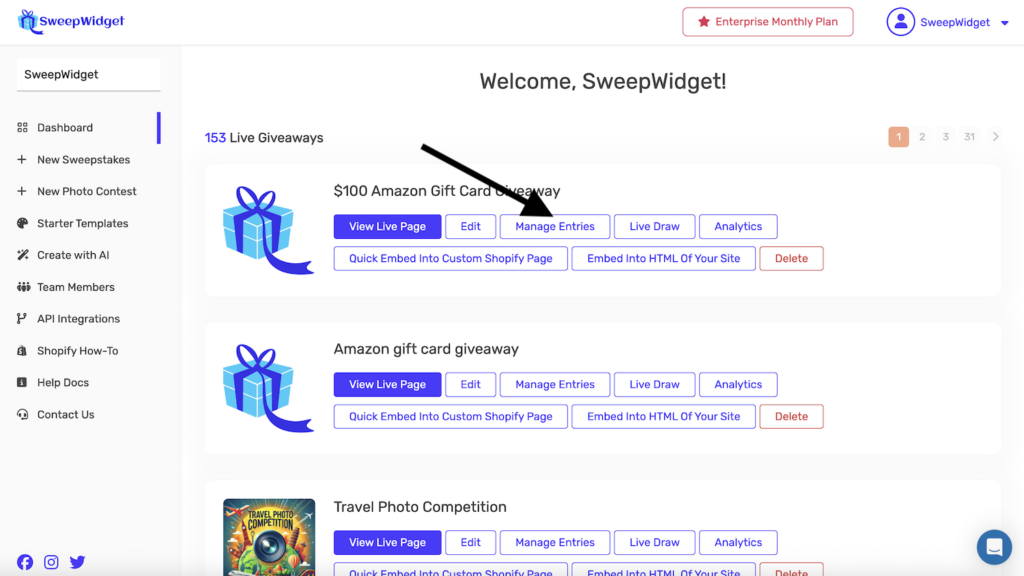
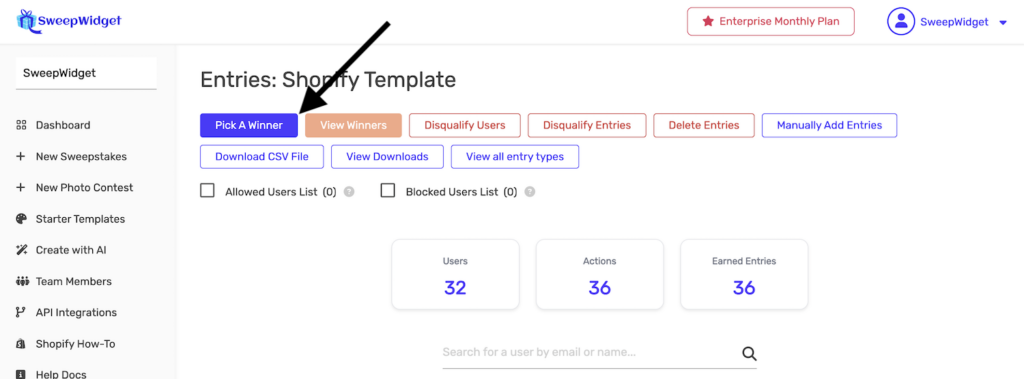
Step 2: Click Pick A Winner
Click Pick A Winner.
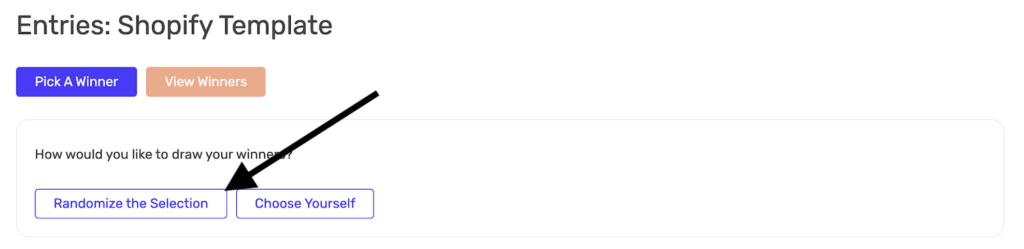
Step 3: Choose Selection Method
A panel asks How would you like to draw your winners?
- Randomize the Selection – Draw winners at random
- Choose Yourself – Pick specific winners
Click Randomize the Selection.
Step 4: Configure the Random Draw
The form reads:
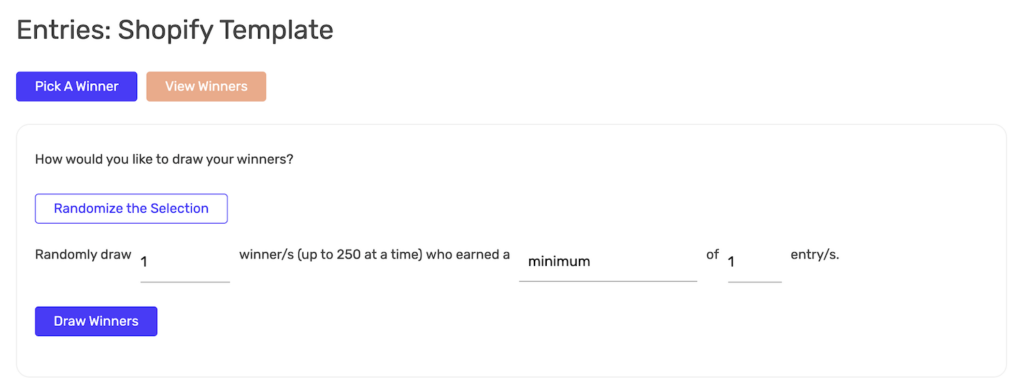
Randomly draw [X] winner/s who earned a [minimum/maximum] of [X] entry/s.
The line below shows your plan’s winner limit and how many you have left.
| Option | Description |
|---|---|
| Number of winners | How many to draw now (up to 250 per draw, and no more than your plan has left) |
| minimum / maximum | “minimum” = at least X entries; “maximum” = no more than X entries |
| Entry count | The number of entries. 0 with “minimum” includes everyone. |
| Country filter (optional) | All countries, Exclude countries or Only these countries. Search and pick countries. |
| Prize | If your giveaway has prizes: What prize would you like to allocate to the winner/s? Each prize shows how many places are left. |
Step 5: Draw Winners
Click Draw Winners.
Step 6: Confirmation
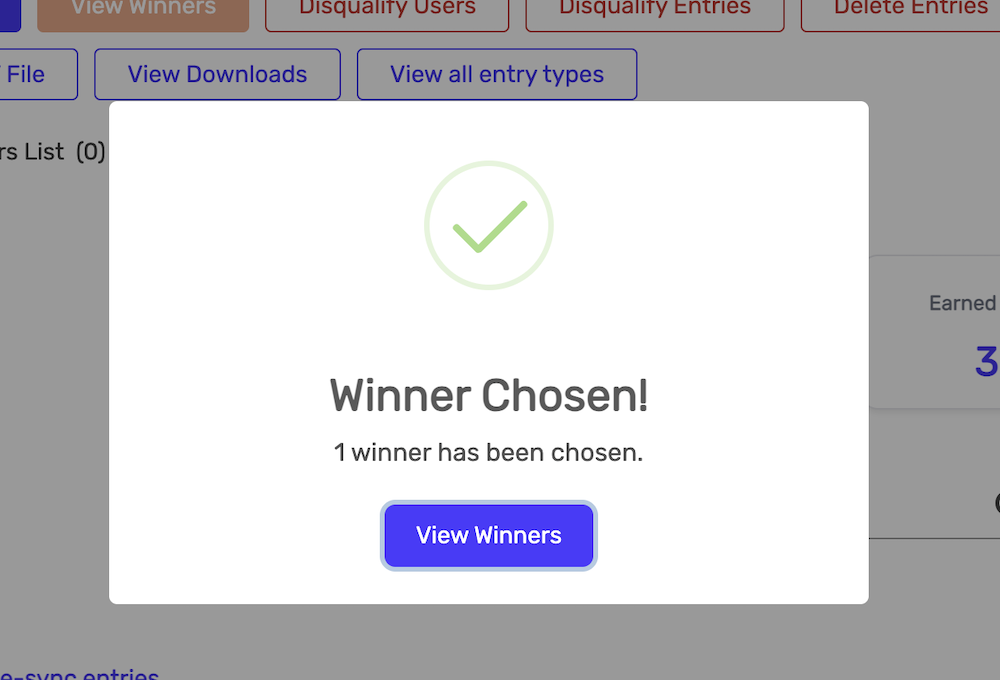
A Winner Chosen! message appears. Click View Winners to see them.
If the prize you chose has fewer places left than you asked for, only that many winners are drawn and you see “Fewer winners chosen”.
Viewing Your Winners
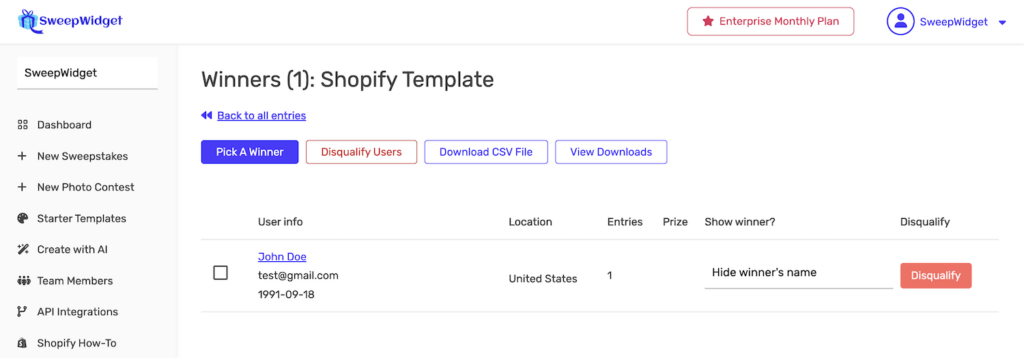
| Column | Description |
|---|---|
| User info | Winner’s name and email address |
| Location | Country based on IP address |
| Entries | Number of entries the winner earned |
| Prize | Allocated prize |
| Show winner? | Show or hide the winner’s name in the widget |
| Disqualify | Disqualify if needed |
Winner Limits by Plan
The limit counts every winner in the giveaway, random and manual.
| Plan | Maximum Winners |
|---|---|
| Free | 1 winner |
| Pro | 50 winners |
| Business | 250 winners |
| Premium | 1,000 winners |
| Enterprise | Unlimited winners |
Setting Entry Requirements
Minimum Entries
Only participants with at least this many entries can win.
Example: set minimum to 3 to include only people who completed several entry methods.
Maximum Entries
Only participants with no more than this many entries can win.
Example: set maximum to 10 to leave out power users with many referral entries.
How Random Selection Works
- More entries = higher chance – Odds are proportional to each person’s entries
- Still random – More entries doesn’t guarantee a win
- The draw runs on SweepWidget’s servers
- People who already won are not drawn again
- Disqualified participants are left out
- If your giveaway requires email or SMS verification, only verified participants can be drawn
Picking Multiple Winners
- Enter the number of winners (up to 250 per draw)
- Click Draw Winners
- For more than 250, draw again
After Picking Winners
SweepWidget does not email winners. Next steps:
- Contact winners – See Contact A Winner
- Download CSV – Download CSV File > Download All Winners
- Show winners – New winners are hidden in the widget. Change Show winner? to display them.
- Disqualify if needed
- Pick replacement winners
Best Practices
- Wait until the giveaway ends
- Set reasonable minimums
- Document the draw – Consider screen recording it, or use Live Draw
- Contact winners within 24-48 hours
- Be ready to pick replacements
- Verify eligibility
Troubleshooting
No eligible participants
The message tells you why: no entries yet, no one meets the minimum/maximum, everyone matching has already won, no one is left after the country filter, or no one has verified their email or phone yet. Change that condition and draw again.
Need to pick more winners
Click Pick A Winner again. Previous winners won’t be chosen again.
Wrong person selected
Unpick the winner (keeps them eligible), then draw again. See How To Unpick A Winner.