
Hide Entry Methods Until After The User Logs In
By default, participants can see all entry methods in your giveaway before they log in. However, you can hide these entry methods until after the participant enters their information and logs in. This creates a cleaner initial experience and encourages users to commit to entering before seeing all the ways to earn bonus entries.
Why Hide Entry Methods Until Login?
- Reduce overwhelm – A simpler initial view helps users focus on entering first
- Increase conversions – Users commit to entering before seeing the full list of entry methods
- Create curiosity – Hidden entry methods create intrigue about bonus entry opportunities
- Cleaner appearance – The widget looks more streamlined on embedded pages
- Progressive disclosure – Reveal complexity only after users have taken the first step
How to Hide Entry Methods
Step 1: Go to Design Settings
- Create or edit a giveaway
- Click on the Design tab in the left sidebar
- Scroll down to the More Options section
Step 2: Enable the Setting
Find and check the box labeled Hide entry methods until after the participant logs in.
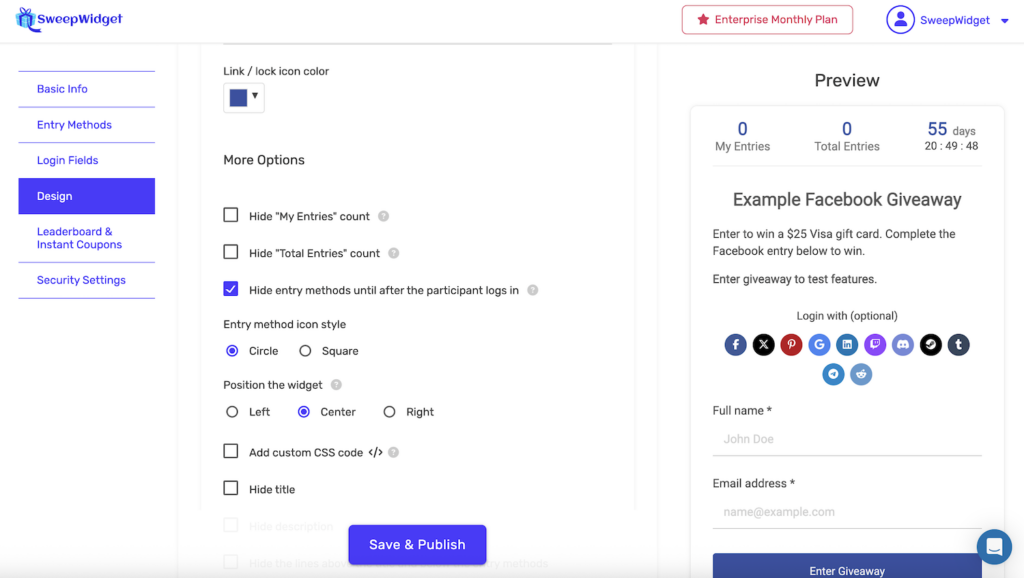
Click Save & Publish to apply the changes.
What Participants See
Before Login (Entry Methods Hidden)
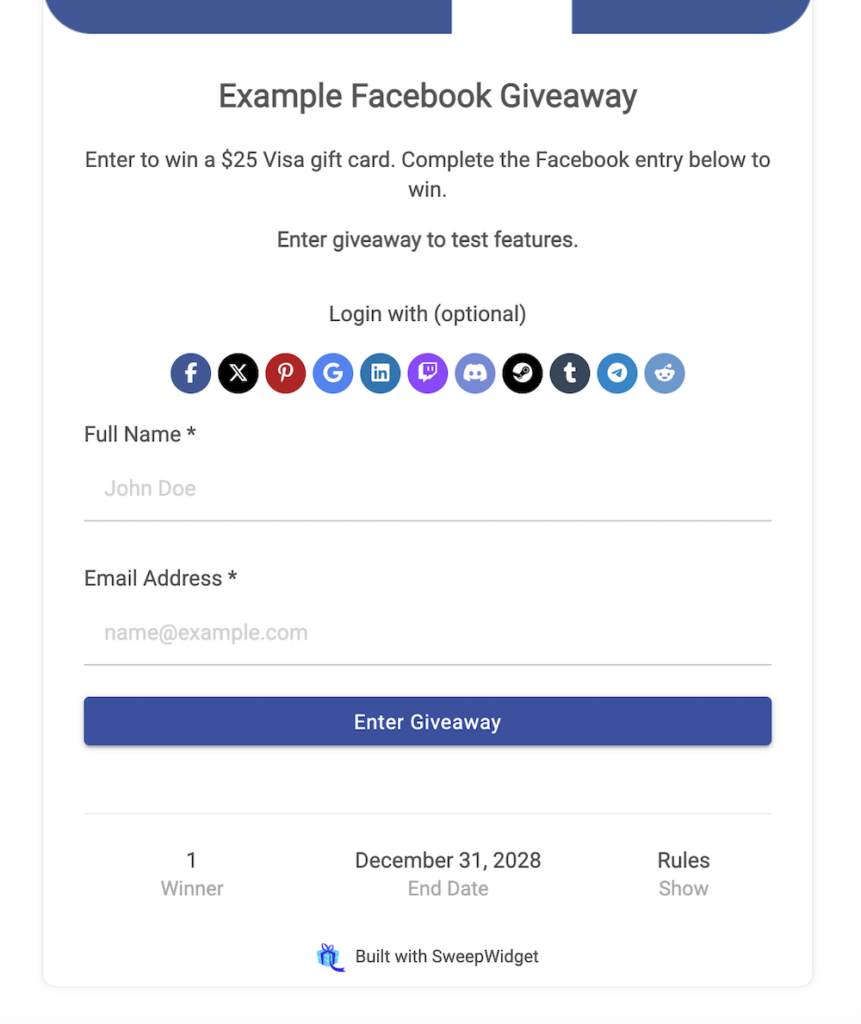
When this setting is enabled, participants initially see only:
- Giveaway title and description
- Social login options (if enabled)
- Login form fields (name, email, etc.)
- “Enter Giveaway” button
- Footer with winner count, end date, and rules
The entry methods (Visit Facebook Page, Follow on Twitter, etc.) are not visible at this stage.
After Login (Entry Methods Revealed)
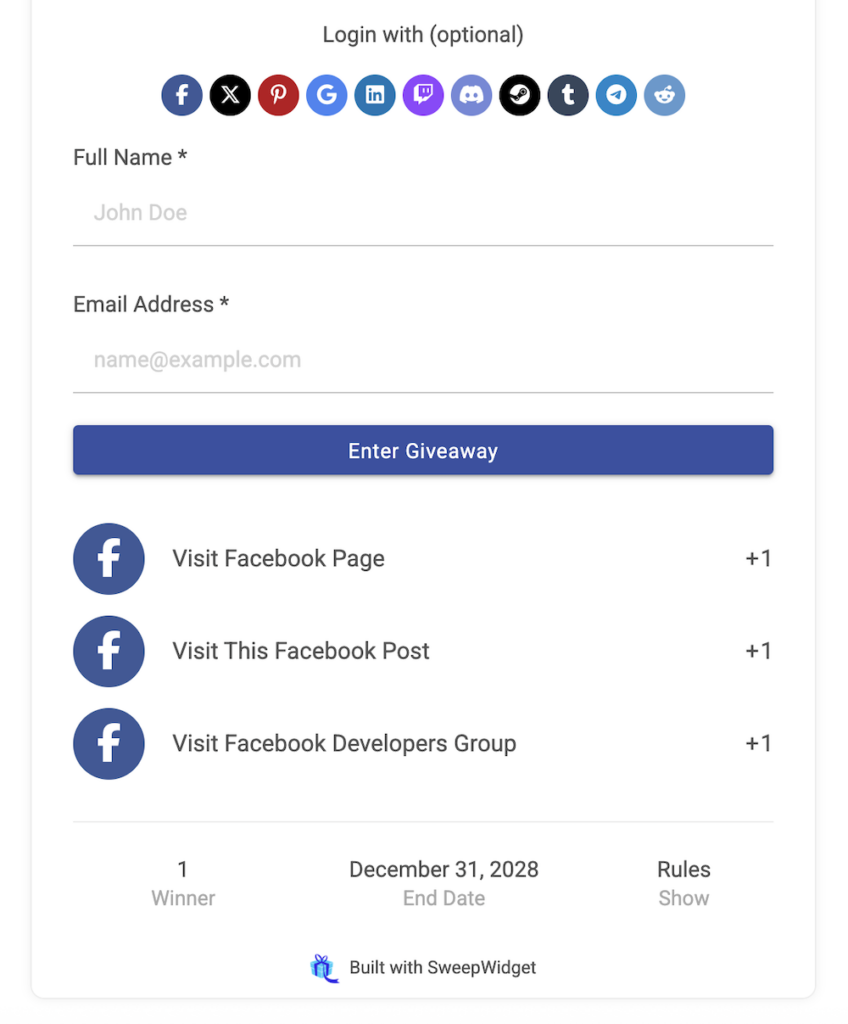
After the participant enters their information and clicks “Enter Giveaway”, they see:
- All available entry methods
- Points/entries each method is worth
- Their current entry count
- Which methods they’ve completed
Comparison: Hidden vs. Visible Entry Methods
| Setting | Before Login | After Login |
|---|---|---|
| Hidden (enabled) | Only login form visible | Entry methods appear |
| Visible (disabled) | Login form + all entry methods visible | Same view, can now complete methods |
Related Design Options
The More Options section in the Design tab contains several other visibility settings you can use alongside hiding entry methods:
| Option | What It Does |
|---|---|
| Hide “My Entries” count | Hides the participant’s personal entry count from the header |
| Hide “Total Entries” count | Hides the total entries count from all participants in the header |
| Hide title | Hides the giveaway title from the widget |
| Hide description | Hides the giveaway description from the widget |
| Hide the lines above entry methods | Removes the separator lines for a cleaner look |
These options can be combined with hiding entry methods to further customize the appearance of your giveaway widget.
When to Use This Feature
| Scenario | Recommendation |
|---|---|
| Many entry methods (10+) | Hide – prevents overwhelming users initially |
| Simple giveaway (1-3 methods) | Show – users can see the full experience upfront |
| Email-focused campaign | Hide – focuses attention on capturing the email first |
| Social media growth | Show – users see all the social actions they can take |
| Embedded on landing page | Hide – creates a cleaner, less cluttered appearance |
| Standalone giveaway page | Either – depends on your preference |
Best Practices
- Consider your goal – If email capture is the priority, hiding entry methods keeps focus on the initial sign-up
- Test both options – Try A/B testing with hidden vs. visible to see which converts better for your audience
- Write a compelling description – Since entry methods are hidden, make your description enticing to encourage users to enter
- Mention bonus entries – Consider noting in your description that additional entry methods will be available after signup
- Match your embed context – A busy page benefits from a simpler widget; a dedicated giveaway page can show more
Example Description for Hidden Entry Methods
When hiding entry methods, consider adding language to your description like:
Enter your email below to join the giveaway. After signing up, you’ll unlock additional ways to earn bonus entries and increase your chances of winning!
This sets expectations and creates excitement about the hidden entry methods.