
How To Run A Live Event In-Person Contest With SweepWidget
SweepWidget makes it easy to run a live event in-person contest!
The most common way to do this is to have an event organizer with an iPad at a booth where people can enter their name/email/additional info into your contest. The goal is to only allow users to enter on the device from the live event, and not anywhere else.
Option 1: Restrict by IP Address (Recommended for Live Events)
This is the best option for live events where you want entries only from specific devices at your venue.
- While creating/editing your giveaway, go to Security Settings
- Check Only allow specific IP Addresses to enter (good for live events)
- Get the IP address of the device being used at the event (search “what is my IP” on the device)
- Enter the IP address in the text area (one IP per line)
- Save your giveaway
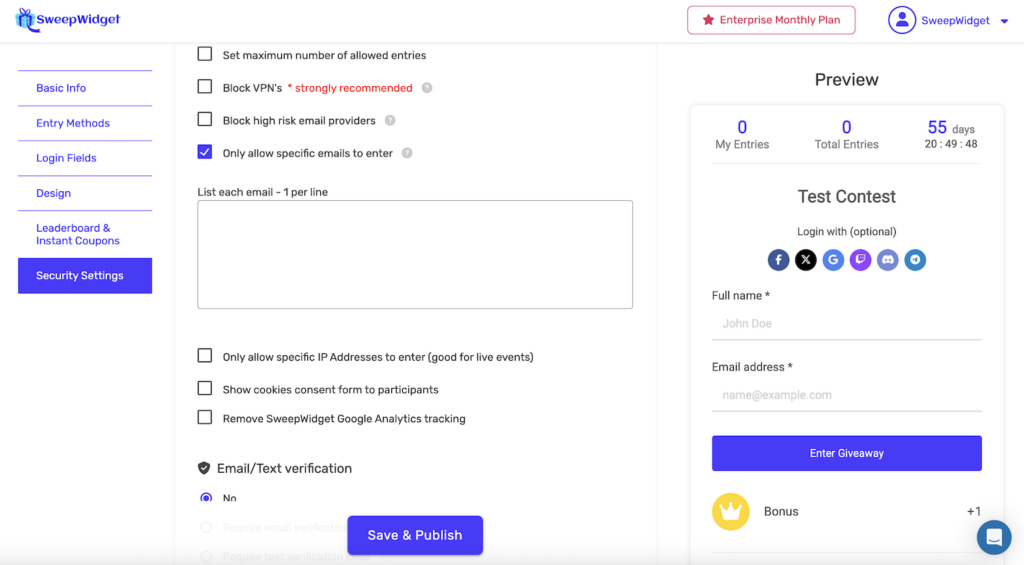
Now only users on that device can enter your contest.
Option 2: Restrict by Email Address
If you have a pre-registered guest list, you can restrict entries to only those email addresses.
- While creating/editing your giveaway, go to Security Settings
- Check Only allow specific emails to enter
- Enter the allowed email addresses in the text area (one email per line)
- Save your giveaway
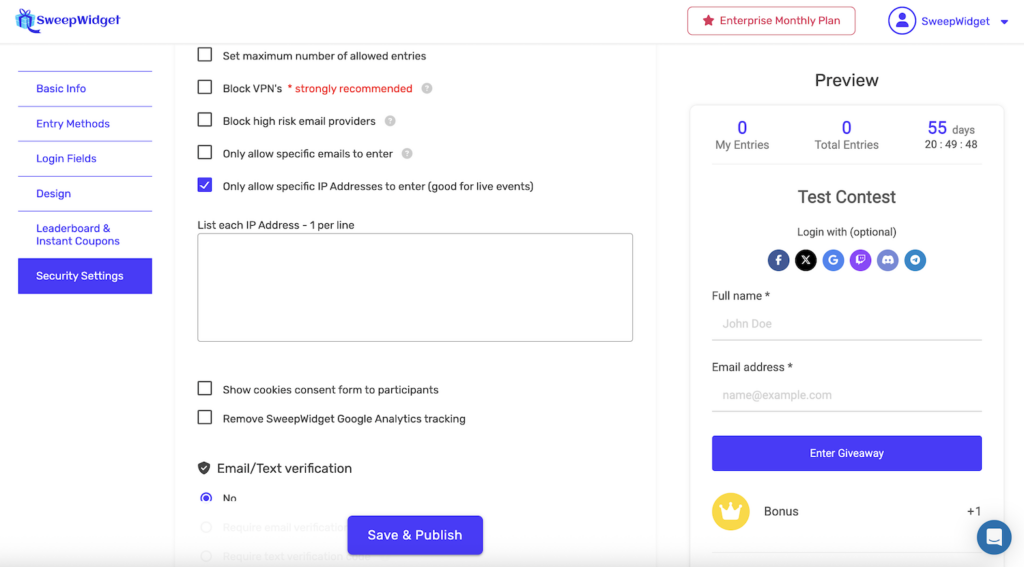
Only users with email addresses on your list will be able to enter.
Option 3: Combine Both Restrictions
You can enable both options to require that entries come from a specific IP and use a whitelisted email address.
Allowing Unlimited Entries from Event Devices
For live events where multiple people will enter from the same device, you may also want to:
- Disable duplicate IP blocking so multiple attendees can enter from the same device
- Keep the IP whitelist enabled so entries can only come from your event devices
Hybrid: Live Event + Remote Entries
Want to allow both live event entries AND let people enter from home? Here’s how:
- Don’t enable the IP or email restrictions (leave both unchecked)
- In Manage Entries, use the Allow emails / IP’s section to whitelist your event device IP with an asterisk (e.g., 123.456.789.*)
- This allows unlimited entries from your event device while normal restrictions apply to everyone else
This way, attendees at your event can enter unlimited times from your booth, while remote participants can enter once from home.