
How To Allow Unlimited Referrals For A Referral Link
By default, referrals are unlimited. However, you can limit how many friends each user is allowed to refer, or leave it unlimited.
Setting Referral Limits
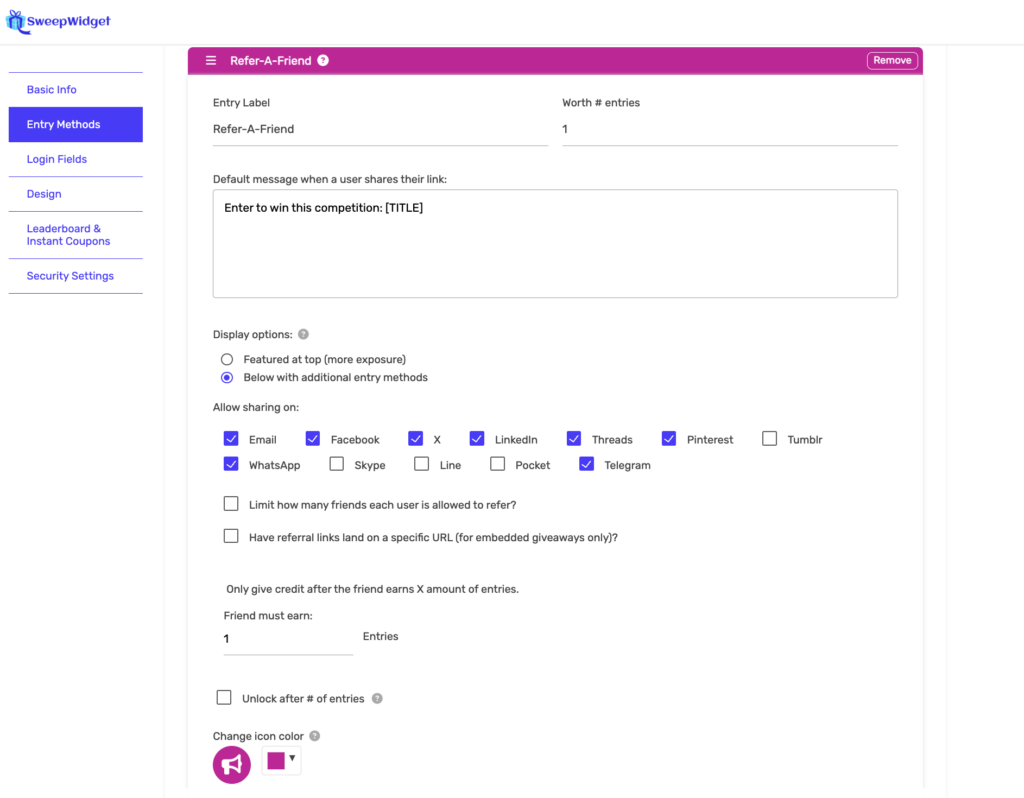
The referral limit setting is configured directly in the Refer-A-Friend entry method:
- While creating or editing your giveaway, go to Entry Methods
- Add or edit the Refer-A-Friend entry method
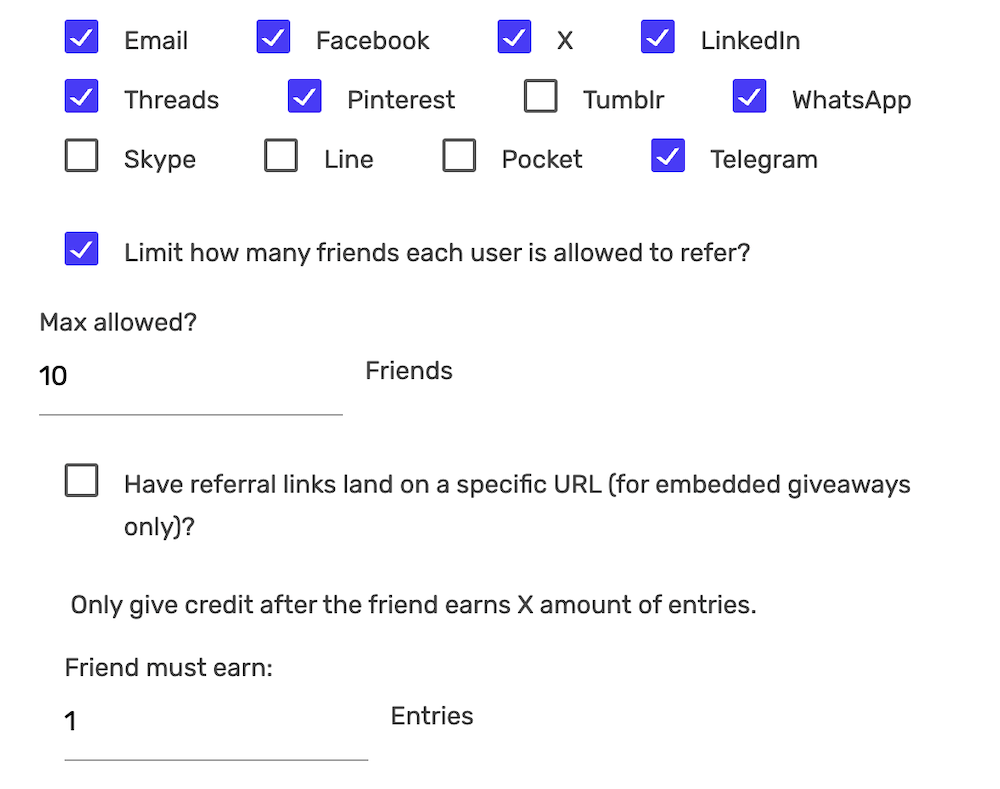
- Look for the checkbox: Limit how many friends each user is allowed to refer?
- If you want unlimited referrals: Leave this checkbox unchecked
- If you want to set a limit: Check the box and enter the maximum number of referrals allowed per user
Other Refer-A-Friend Options
The Refer-A-Friend entry method also includes these settings:
- Display options: Show at top (more exposure) or below with other entry methods
- Allow sharing on: Choose which platforms users can share to (Email, Facebook, X, LinkedIn, Threads, Pinterest, WhatsApp, Telegram, etc.)
- Have referral links land on a specific URL: For embedded giveaways, direct referrals to a specific page
- Only give credit after the friend earns X amount of entries: Require referred friends to complete actions before the referrer gets credit
Anti-Spam Protection
SweepWidget automatically flags referral links that receive an unusually high number of signups (500+) to prevent fraud. If a legitimate user is flagged, you can whitelist their email in the Manage Entries section.
For more details on the Refer-A-Friend feature, see Viral Sharing / Refer A Friend.