Giveaway Winner Message and Email Templates (Copy, Paste, Send)
A good giveaway winner message says three things in the first lines: they won, what they won, and what to do by when to claim it. Send it from an account or address they’ll recognize, never ask for payment, and keep a copy in case anyone asks later.
Below are ready-to-use templates for email, direct messages, digital prizes, reminders, public announcements and the people who didn’t win. Replace the parts in [brackets].
What every winner message needs
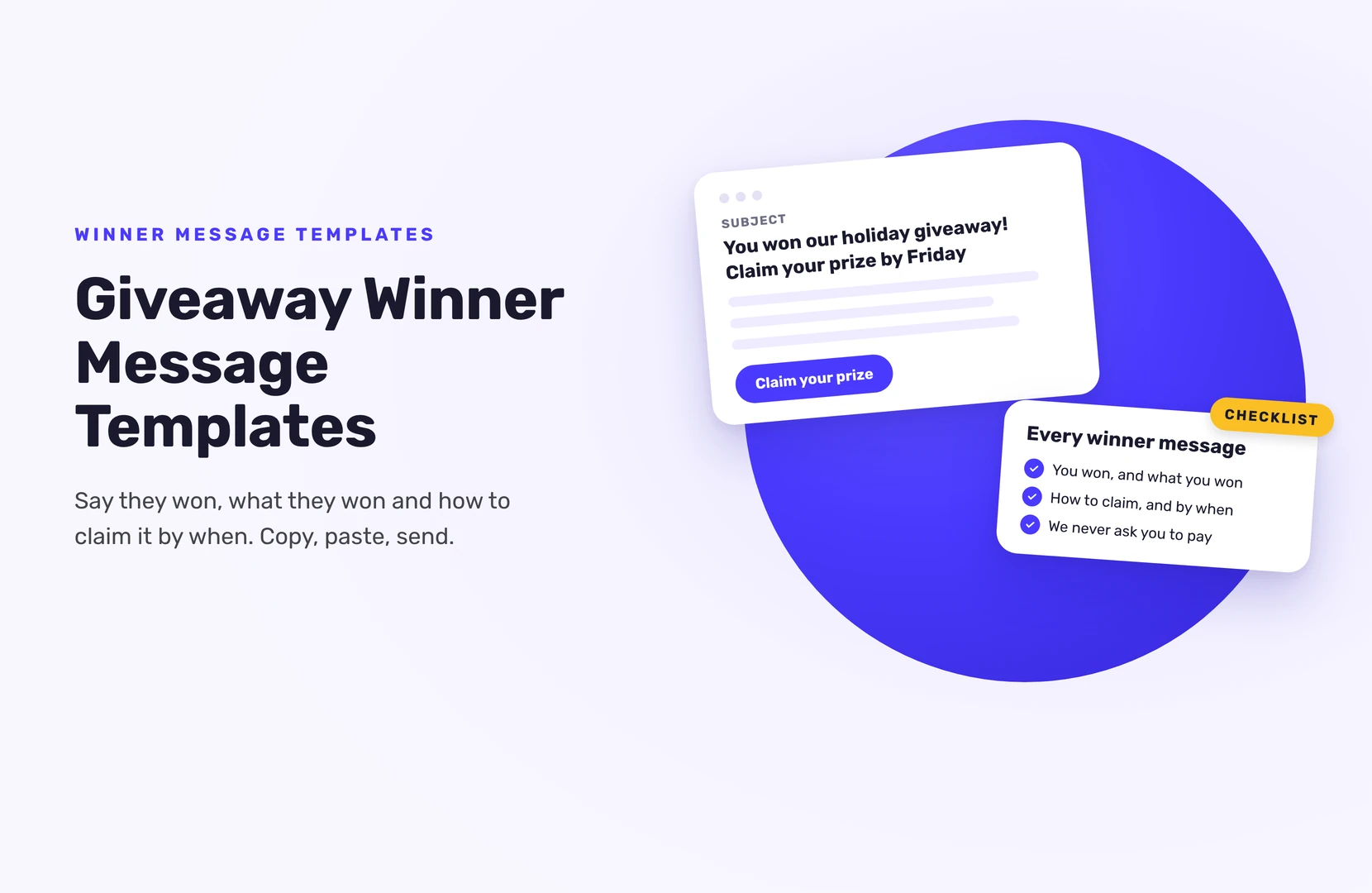
- The good news first. “You won” goes in the subject line or first sentence.
- The prize, described the same way as in your rules.
- How to claim it. What you need from them: shipping address, size, a reply.
- A deadline, matching your rules, and what happens if they miss it.
- Proof it’s really you. Your brand name, the giveaway name and where they entered.
- No payment, no passwords. Real winners never pay to claim a prize. Say so.
Keep it short. Winners skim, and a long email looks like spam.
Template 1: Winner notification email
Subject: You won the [giveaway name]! Claim your prize by [date]
Hi [first name],
Congratulations! You’ve been drawn as a winner of our [giveaway name] on [draw date].
Your prize: [prize, as written in the rules]
To claim it, reply to this email by [date and time, time zone] with:
- Your full name and shipping address
- [Any other detail you need, e.g. size or color]
If we don’t hear from you by then, we’ll choose another winner, as our rules explain.
We’ll never ask you to pay anything to claim your prize.
Congratulations again, [Your name], [brand]
Template 2: Short DM (Instagram, TikTok, X, Facebook)
Hi [username], you won our [giveaway name]! Your prize: [prize]. Please email [your address] or reply here by [date] with [what you need]. This is our only official account, and we’ll never ask you to pay to claim.
Send it from your main account, and pin a comment on the giveaway post saying who won, so the winner can see the DM is real.
Template 3: Digital prize or code
Use this for gift cards, discount codes, license keys or event tickets.
Subject: Your [prize] from [brand] is ready
Hi [first name],
You won our [giveaway name]! Your [prize] is waiting for you.
Click here to get your code: [claim link]
[How to use the code, and the expiry date if there is one.]
Enjoy, [Your name], [brand]
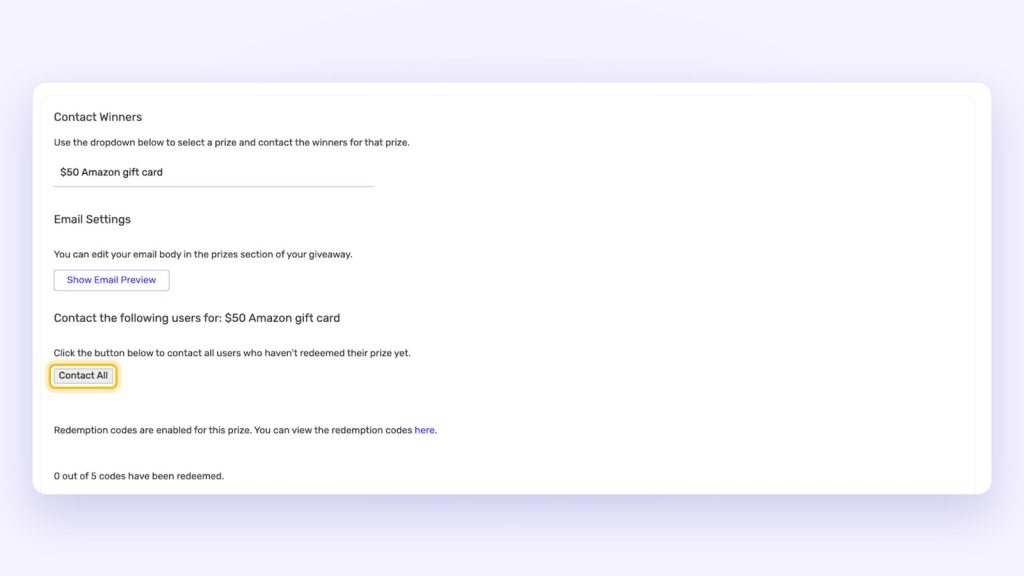
If you run your giveaway in SweepWidget, you can send this one from your dashboard. Set the prize to Redemption codes, paste your codes (one per line), and tick Email winners the prize redemption instructions. Then use merge tags like [FIRST_NAME] and [REDEMPTION_CODE_CLAIM_LINK] in the email. After the draw, go to Manage Entries > Winners > Contact Winners, choose the prize, preview the email, send yourself a test, and email one winner or all of them. Each winner gets a unique link to a page showing their own code, and you can see how many codes have been claimed. The number of winners for that prize matches the number of codes you enter. Contact All only emails winners who haven’t claimed their code yet, so you can use it again as a reminder. The emails come from SweepWidget’s address with your own reply-to name and email; on the Enterprise plan, you can send them from your own domain.
For physical prizes, SweepWidget doesn’t email winners for you. Their email address is on the Winners page, or in the CSV you can download, so send Template 1 from your own inbox.
Template 4: Reminder before the deadline
Subject: Reminder: claim your [prize] by [date]
Hi [first name],
Just checking you saw our email: you won [prize] in our [giveaway name]. We need [what you need] by [date and time] to send it to you.
If the email went to spam, you can reply to this one.
[Your name], [brand]
Send one reminder, a day or two before the deadline. Then follow your rules.
Template 5: Public winner announcement
Post this after the winner has replied, and only share what they’ve agreed to.
Our [giveaway name] winner is… [first name or username]! [Number] of you entered, and the winner was drawn at random on [date]. Thank you to everyone who took part. [Brand] will never DM you asking for payment; if someone does, it’s not us. Next giveaway: [date or “soon”]. Follow us so you don’t miss it.
If you ran a hosted giveaway in SweepWidget, you can also choose whether to show the winner’s name on the giveaway page.
Template 6: Email to everyone who didn’t win
This is the message that turns entrants into customers.
Subject: Thanks for entering [giveaway name], here’s something for you
Hi [first name],
The [giveaway name] has ended, and our winner has been drawn. This time it wasn’t you, but thank you for entering.
As a thank-you, here’s [offer, e.g. 15% off] until [date]: [code or link]
[Your name], [brand]
Only email entrants who agreed to hear from you. On SweepWidget’s free plan, you can view or download up to 10 entrants’ emails; Pro and higher give you every entrant’s email.
Template 7: If the winner doesn’t reply
Subject: About your [giveaway name] prize
Hi [first name],
We didn’t hear back by [deadline], so, as our rules say, we’ve drawn a new winner. Thank you for entering, and we hope to see you in our next giveaway.
[Your name], [brand]
Timing and checks before you send
- Pick the winner after the giveaway ends, from the full entry list.
- Check eligibility against your rules (age, location, required actions) before you send anything.
- Send within 24 to 48 hours of the draw, while the giveaway is still fresh.
- Give a fair reply window, we suggest 7 days, written into your rules, so there’s time for one reminder.
- Draw a replacement if they miss it. In SweepWidget, disqualify them and draw again. People who already won aren’t drawn twice.
SweepWidget also emails you, the host, when the giveaway ends, and sends reminders at day 3 and day 7 if you haven’t picked winners yet.
Haven’t drawn your winner yet? See how to randomly pick a winner in SweepWidget.
To draw fairly and check the winner before you message them, see how to pick a giveaway winner fairly.
FAQ
Say they won, what they won, what you need from them and the deadline to reply. Add one line saying you’ll never ask for payment.
Email if you have it; it’s easier to keep a record and less likely to look like a scam. Use a DM for comment giveaways, from your official account.
Whatever your rules say. We suggest 7 days: long enough to find an email that went to spam, short enough to keep the giveaway fresh. Send one reminder before the deadline.
For prizes set up with redemption codes, yes: you send the email from the Contact Winners panel, to one winner or all of them. For other prizes, you contact winners yourself using the email on the Winners page.
Only with their permission. A first name or username is usually enough.