Free Giveaway App: How to Pick One and Run Your First Giveaway
SweepWidget is a free giveaway app you can use to run a full campaign without a credit card. The Free plan gives you unlimited campaigns and unlimited entries, and you can view or download up to 10 entrants’ emails. Whichever app you pick, check four things before you commit: how entries are verified, how winners are chosen, how fraud is handled, and what you can export.
This guide covers what a free giveaway app should do, how to set one up, how to promote it within each platform’s rules, and when the free tier stops being enough. If you want the plan-by-plan detail, see what the Free plan gets you and how to set up an unlimited entry giveaway.
What should a free giveaway app do?
A good free giveaway app handles the whole loop: collect entries, protect against fakes, pick winners and give you the contact details you need. If it only does the first part, you’ll end up with a spreadsheet and a lot of manual work.
Look for these basics:
- Entry methods that match your goal. Email signups, social follows, visits, referrals or purchases should each be an option you can switch on or off. SweepWidget has 120+ entry methods across its plans.
- A way to pick winners. SweepWidget has a built-in random picker.
- Control over the data. You should know exactly how much of your entrant data you can see on the free tier.
- Room to grow. Check that upgrading later doesn’t mean rebuilding your giveaway.
What does SweepWidget’s Free plan include?
The Free plan costs $0 and needs no credit card. You get unlimited campaigns and unlimited entries, and you can view or download up to 10 entrants’ emails. It includes 1 brand and 1 winner per giveaway. Free has 20 entry methods, up to 5 per giveaway, one of them repeatable daily. They are visit-type entries for Instagram, Facebook, YouTube, TikTok and Pinterest, X follow, post and repost, plus Visit a page, blog comment, RSS, podcast, calendar and bonus entries. The newsletter signup entry and the email integrations need Pro, as do photo and video contests with voting. Refer-a-friend, secret code, file upload and purchase entries are locked on Free. On Free, entrants’ emails are still collected in your SweepWidget dashboard, but only the first 10 are visible.
Here’s how the paid plans compare (list prices; discounts such as Black Friday offers may change what you see at checkout):
| Plan | Monthly | Yearly | Winners per giveaway |
| Free | $0 | – | 1 |
| Pro | $29/mo | $290/yr | 50 |
| Business | $59/mo | $590/yr | 250 |
| Premium | $119/mo | $1,190/yr | 1,000 |
| Enterprise | $249/mo | $2,490/yr | Unlimited |
Yearly billing is 12 months for the price of 10, about 17% off. Pro adds all entrants’ emails, the newsletter entry with 30+ email integrations, photo and video contests, and refer-a-friend. Business adds leaderboards, coupons and Zapier. Premium adds removal of SweepWidget branding, a custom landing page URL, white-label, custom CSS, email verification, geo-blocking and an email whitelist. Enterprise adds API access, custom webhooks and phone verification. See the full SweepWidget pricing for details.
How do you set up a giveaway in a free app?
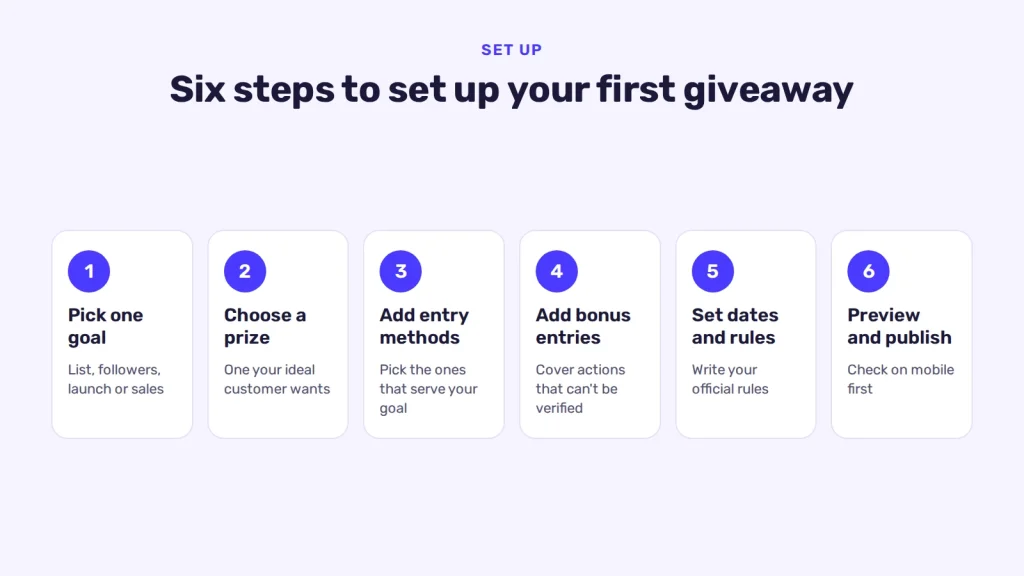
Set up comes before promotion, so get these steps done first.
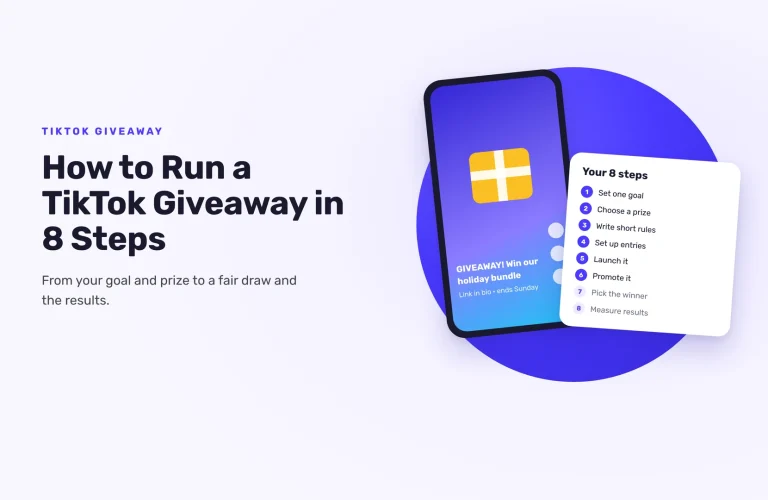
- Pick one goal. Email list, followers, a product launch or sales. One goal keeps the entry list short and the prize relevant.
- Choose a prize your ideal customer wants. A prize that suits everyone attracts people who only want free stuff.
- Add entry methods that serve your goal. For a list, use the newsletter signup (Pro). SweepWidget can sync new subscribers to your email platform, such as Mailchimp, Klaviyo, ConvertKit or HubSpot (Pro). For a podcast, you can use the RSS subscribe method with your feed URL.
- Cover the gaps with bonus entries. For actions with no verification, like a WhatsApp share or an offline store visit, you describe the task and people earn points when they say they’ve done it. These are self-reported, so treat them as trust-based.
- Set the dates and write your official rules. More on that below. SweepWidget’s terms and conditions generator is on every plan and gives you a starting template.
- Preview on mobile, then publish. Most entrants will arrive from a phone. To put the giveaway on your own site, copy the embed code into your site’s HTML, or share the free hosted page. Turning the giveaway into a popup needs Pro.
How do you keep entries fair?
Free tools can’t make every entry method verifiable. SweepWidget marks which entry methods are checked through an API and which are taken on trust; the help doc on API vs manual verification explains the difference.
Some platforms don’t let outside tools check actions. Instagram, Facebook and TikTok don’t let outside tools confirm follows or likes, so those entries rely on honesty and you check the winner by hand before you announce.
For fraud controls, plan around your needs:
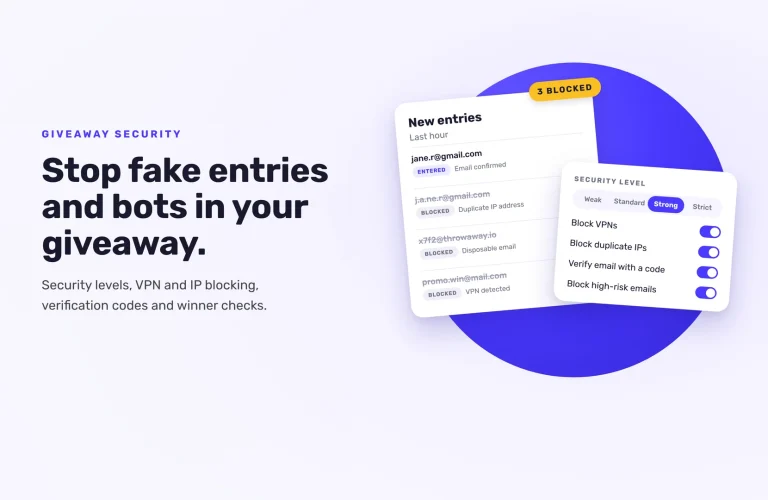
- Every plan blocks disposable and temporary email addresses.
- Premium adds an email verification code, geo-blocking and email and IP whitelists.
- Enterprise adds phone (SMS) verification.
- Blocking VPNs and duplicate IP addresses are options in the builder, but they also turn away real people on mobile data or work networks, so use them with care.
If your prize is high-value, check the winner’s account and entries before you announce.
How do you promote a giveaway without breaking platform rules?
Share the giveaway link where your audience already is, and follow each platform’s own promotion rules. Read them before you post, because they change.
- Facebook and Instagram (Meta). Meta’s rules say a promotion on a Page, group or event must not require or incentivize people to share, repost, tag others or otherwise publicize it. Skip those entry types there (refer-a-friend and share entries included). Entrants must release Meta and hold it harmless, and acknowledge that Meta doesn’t sponsor or run the promotion. For the full picture, see our Facebook giveaway guide.
- Other platforms. Check the rules for YouTube, TikTok, X, Reddit and Discord before you promote. If you’re running on one platform, see our YouTube giveaway tools guide.
- Paid partnerships. If an influencer or partner promotes your giveaway for pay or free product, they need to label it clearly.
What about rules, purchases and the law?
Publish official rules on or next to your giveaway page. Include the dates, who can enter, the prize and its value, how the winner is chosen and notified, and who runs it.
In the US, the FTC says a sweepstakes that requires a purchase to enter is illegal. If you reward purchases with entries, you also need a free way to enter; our guide to No Purchase Necessary shows how. If the prizes total more than $5,000 and the promotion is tied to consumer products or services, you may have to register ahead of time with New York and Florida, and may need a bond or deposit. To see how your format is classed, read sweepstakes vs contest vs lottery and is my giveaway legal.
This is general information, not legal advice. Rules vary by country and state, so check the official sources, such as the FTC’s small business guidance on sweepstakes, and ask a lawyer if the prize is large.
How do you pick and contact a winner safely?
Pick the winner with the random picker after the giveaway closes, then check that the entries meet your rules. Contact them by email using the address they entered. SweepWidget keeps only the current winners list, with no draw log, so take a screenshot or screen recording of your draw.
Scammers often pose as giveaway hosts and message people to say they’ve won. Tell your entrants in the official rules how you’ll contact winners, and that you’ll never ask for payment, card details or a password. Announce the winner publicly once they’ve confirmed.
The Free plan gives you 1 winner per giveaway. If you have several prizes, you’ll need Pro (50 winners) or above.
What should you check before you choose a free giveaway app?
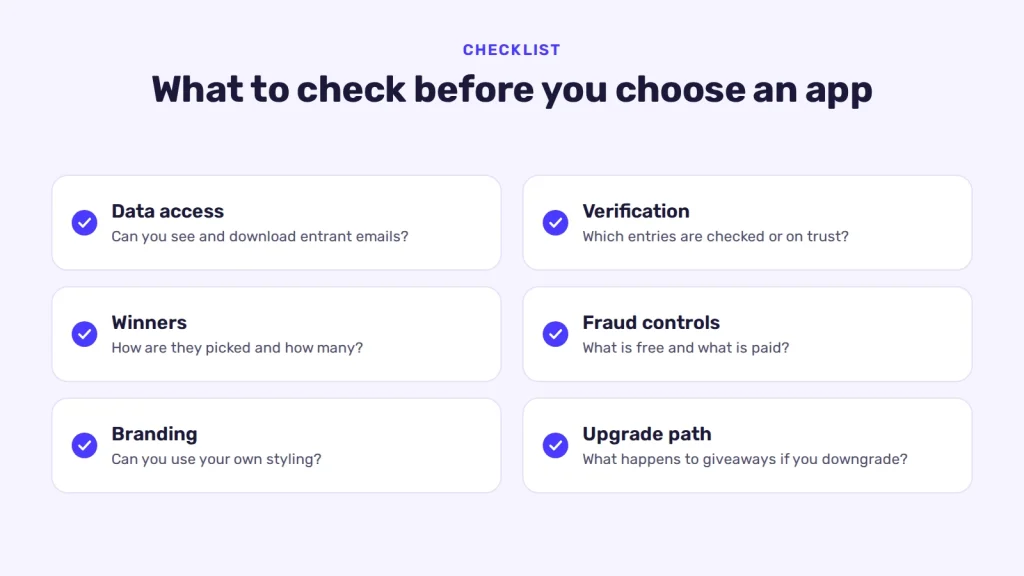
Use this checklist:
- Data access. Can you see and download the entrants’ emails, and how many? On SweepWidget’s Free plan it’s up to 10; Pro unlocks all.
- Verification. Which entry methods are checked, and which are taken on trust?
- Winners. How does the app pick them, and how many can you have?
- Fraud controls. What is included on the free tier and what’s paid?
- Branding. Does the app let you use your own styling? Removing SweepWidget branding needs Premium.
- Upgrade path. If you downgrade, your giveaways and entries aren’t deleted, but they follow the limits of the new plan, and features not in that plan stop working, even on existing giveaways.
When is a free giveaway app not enough?
Free works well for a first test. You’ll want to upgrade when:
- You need the full list of entrants’ emails (Pro).
- You want the newsletter entry, photo or video contests, or refer-a-friend (Pro).
- You want to give away more than one prize (Pro gives 50 winners).
- You need fraud controls on a prize people will try to game (email verification and geo-blocking at Premium, phone verification at Enterprise).
- You want leaderboards, coupons or Zapier (Business).
- You want to remove SweepWidget branding or use a custom landing page URL (Premium).
If you cancel a paid plan, you keep it until the end of the billing period, then your brands move to Free. Your giveaways and entries aren’t deleted, but they follow the Free limits.
Ready to run your first giveaway?
Start free on SweepWidget and move to Pro when you want to view and download all your entrants’ emails and add the newsletter entry.
No credit card required
FAQ
SweepWidget’s Free plan has unlimited campaigns and unlimited entries and needs no credit card. The limits are 1 winner per giveaway and access to up to 10 entrants’ emails.
Yes. Instagram doesn’t let outside tools check follows or likes, so those entries are taken on trust and you check the winner by hand. On Free you can use the visit Instagram profile and post entries; follow, like and comment entries need Pro. Follow Meta’s promotion rules.
Yes, publish them anyway. They tell entrants the dates, eligibility, prize and how the winner is chosen. This is general information, not legal advice.
Purchase entries need Pro. If you offer them, you must also give people a free way to enter, because in the US the FTC says a sweepstakes that requires a purchase to enter is illegal.
You keep the plan until the end of the billing period. Then your brands move to Free. Your giveaways and entries aren’t deleted, but they follow the Free limits and features outside the Free plan stop working.