Best Tools to Run a YouTube Giveaway (and How to Choose
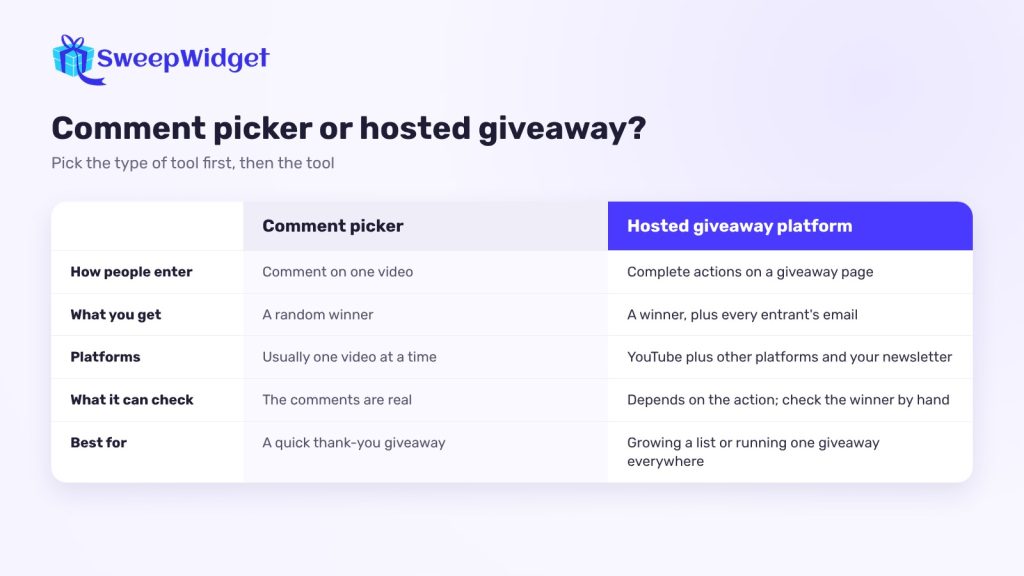
The best tool for a YouTube giveaway depends on how people enter. If entrants just comment on one video, a free YouTube comment picker such as Comment Picker, Rafflys or CommentShark is enough. If you want subscribers, an email from every entrant or entries from other platforms too, use a hosted giveaway platform such as SweepWidget, Gleam, ViralSweep or Woobox.
Below: what each type of tool does well, which tools are worth a look, and how to choose. We make SweepWidget, so for the other tools we’ve only described what each one is publicly known for. Prices are left out because they change too often.
What can a tool actually check on YouTube?
Know this before you compare features.
- Comments are public. Comment pickers read the comments on your video through YouTube’s API, so the list they draw from is real.
- Subscriptions are harder. Most tools, ours included, don’t confirm a subscribe: the entrant gives their channel name and you check the winner by hand. YouTube’s rules also discourage rewarding subscribes at all (see below).
- Likes are private. Outside tools can’t see who liked your video.
Whatever the tool, look at the winner’s channel before you announce them.
YouTube’s rules matter more than any tool. Its Spam Policy lists “offering rewards in exchange for likes, views, or subscribers” as engagement manipulation, and Gleam, for one, doesn’t reward subscribing for that reason. The safest setup gives entries for actions away from YouTube’s numbers, like visiting your site, joining your newsletter or referring a friend, and asks for subscribes in the video itself. Read YouTube’s contest policies before you launch.
Comment picker or hosted giveaway?
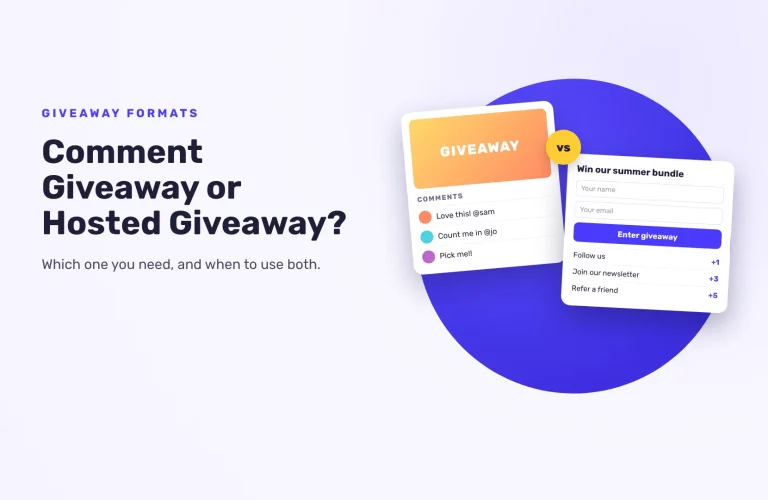
Comment pickers load the comments on one video and draw a random winner. They’re quick and usually free for smaller videos. You get a winner, but no email list, and commenting is the only way to enter.
Hosted giveaway platforms give you an entry page you can link in your description, pin in the comments or embed on your website. Entrants earn entries for actions like visiting your channel, referring a friend or joining your newsletter. Setup takes longer, but you keep every entrant’s email and can run one giveaway across YouTube and your other channels.
Hosted giveaway platforms
SweepWidget
Best for: creators and brands that want YouTube entries plus an email list, or entries from other platforms in the same giveaway.
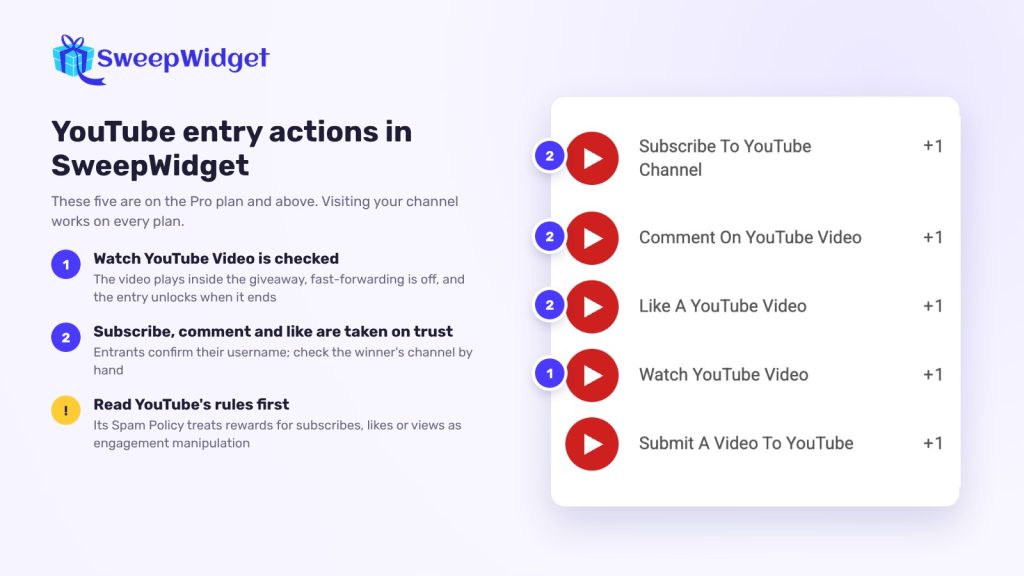
- YouTube entry actions: visit your channel, subscribe, comment on a video, like a video, watch a video and submit a video. Everything beyond the channel visit needs a paid plan. Before you reward subscribes, likes or views, read the YouTube rules note above.
- Watch a video plays the video inside the giveaway, and entrants can’t confirm until it has played. It’s the one YouTube action SweepWidget checks itself. Subscribes, comments and likes are taken on the entrant’s word, so you check winners by hand.
- Other platforms in one giveaway. Some actions on other platforms, like a Twitch follow, are checked through that platform’s API, which gives you a stronger sign that entrants are real.
- An email from every entrant, plus fraud settings that block disposable emails and suspicious devices.
- A quick start. Use a YouTube starter template, or describe your giveaway and let the AI builder set it up for you to edit. You can also put one of your videos at the top of the giveaway instead of an image.
- Built for streams. The random draw weights winners by entries, and the Live Draw (every paid plan, from Pro) shows only the winner’s name and prize, so you can run it on screen without exposing emails.
Keep in mind: SweepWidget doesn’t pick winners from the comments under your video. For a pure comment giveaway, use a comment picker. There’s a free plan to start; the pricing page shows what each plan includes.
Gleam
Best for: brands that want a giveaway tool alongside other marketing apps.
Gleam is a set of marketing apps. Its Competitions app runs hosted giveaways with entry actions across many platforms, YouTube included. Useful if you already use its other apps. It doesn’t give entries for subscribing (its YouTube actions page cites YouTube’s Fake Engagement Policy), and on its Business and Premium plans it can import YouTube comments as entries.
ViralSweep
Best for: brands that want hosted giveaways and comment giveaways from one vendor.
ViralSweep runs hosted sweepstakes and giveaways, and has a separate comments app for giveaways run in the comments on YouTube, Facebook and Instagram.
Woobox
Best for: brands that run several kinds of campaigns, not only giveaways.
Woobox builds contests and giveaways, plus polls, coupons and forms. It also has a YouTube comment picker, and video contests where entrants submit a YouTube link.
YouTube comment pickers
Comment Picker
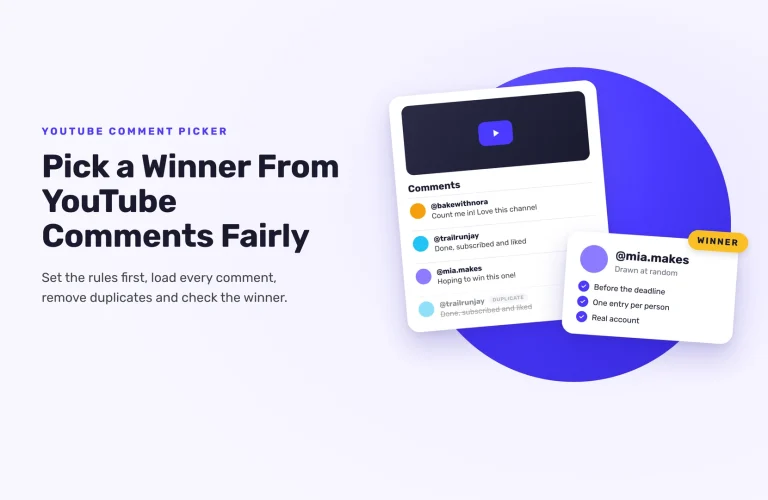
Best for: a quick draw from one video. Paste the video link, set filters such as removing duplicate commenters, and draw. It covers Instagram and TikTok too.
Rafflys (AppSorteos)
Best for: comment draws you want to prove. Rafflys picks from comments on YouTube videos, Shorts and live streams and gives you a results page to share with your audience.
CommentShark
Best for: a simple, free random pick from one video’s comments. CommentShark is mainly a YouTube comment management tool; the random comment picker is a free extra on its site.
One check for any comment picker: free versions often cap how many comments they load. If your video has more comments than the cap, you’re not drawing from everyone. For the full process, see how to pick a winner from YouTube comments.
How to choose a YouTube giveaway tool
Work through these in order.
- What do you want from it? Engagement on one video: a comment picker. Subscribers plus an email list, or entries from other channels: a hosted platform.
- How will people enter? One comment, or a list of actions that each earn entries?
- Is it YouTube only? If you also want Instagram, TikTok, Discord or newsletter entries, pick a platform that covers them all in one giveaway.
- What can it check? Ask what’s verified and what’s taken on trust. Plan to check the winner by hand either way.
- Will you draw live? If you announce winners on stream, look for a live draw view that hides entrants’ emails.
- What does it cost at your size? Compare free-plan limits with the comments or entries you expect.
Whichever tool you use, read YouTube’s contest policies and publish clear rules: who can enter, when it ends, how the winner is picked. For the full walkthrough, see how to run a YouTube giveaway.
A setup that works for most channels
- A visit to your channel or website, for reach. Ask for subscribes in the video rather than giving entries for them.
- A newsletter signup, so you can reach entrants after the giveaway.
- One action on another platform that can be checked, like a Twitch follow.
- A random draw at the end, live on stream if you like, then a quick look at the winner’s channel.
Want to run it this way? Compare SweepWidget plans and features.
FAQ
For a comment giveaway, free comment pickers like Comment Picker or Rafflys handle most videos; check their comment cap first. For a hosted giveaway, SweepWidget’s free plan has unlimited giveaways and entries (you can view or download up to 10 entrants’ emails).
Not reliably, and it’s safer not to try. Tools that offer a subscribe action, SweepWidget included, take it on trust, and YouTube’s Spam Policy treats rewards for subscribes as engagement manipulation. Ask viewers to subscribe in your video instead, and give entries for other actions.
Paste the video link into a comment picker, remove duplicate commenters, and draw. Then check the winner followed your rules before you announce them.
Yes, with a hosted platform. Add entry actions for each platform and draw from all the entries together.
Draw on stream or in a short video, show only the winner’s name, and contact them privately for their details.