12 Giveaway Ideas for Events and Trade Shows (That Bring Back Real Leads)
The best giveaway ideas for events and trade shows make entering take seconds (a QR code or a tablet at your booth), ask for the details you actually need from a lead, and give people a reason to come back, like a live prize draw at a set time. Below are 12 ideas, then how to set the giveaway up so entries only come from the event and the draw is fair.
A booth giveaway gets people to stop, collects their details without a sales pitch and gives your team a reason to talk. The aim is leads you can use afterwards, not a bowl of business cards.
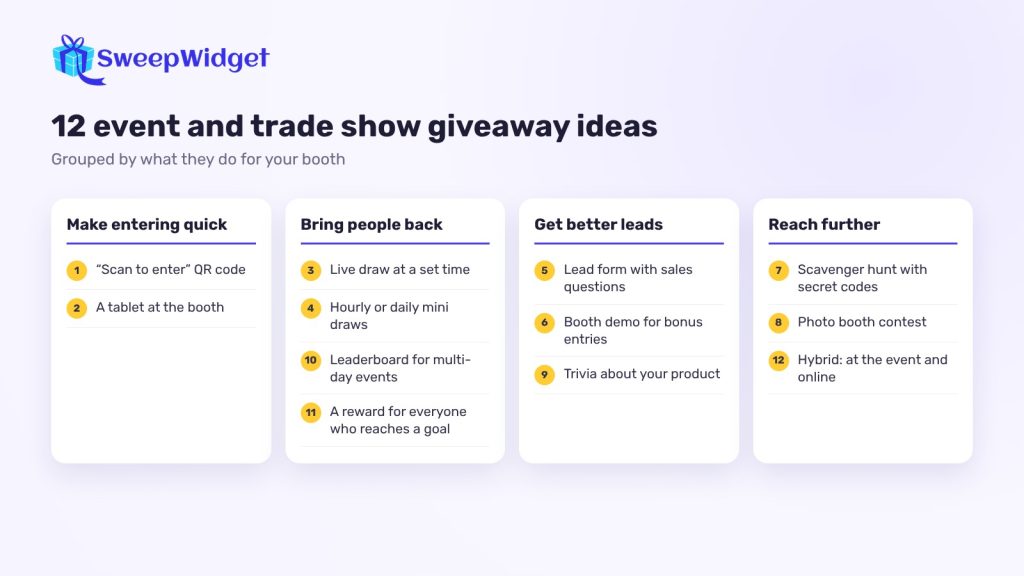
12 event and trade show giveaway ideas
1. “Scan to enter” QR code
Print your giveaway’s QR code on a sign at the front of the booth, on table tents and on flyers. People enter on their own phones in under a minute, and nobody has to queue.
SweepWidget makes a QR code for every giveaway’s landing page. Tick Get a sharable QR code on the “Your Giveaway is Ready!” page and download it. Print it at least about an inch (2.5 cm) square, with “Scan to enter” next to it and the link underneath as a backup. The QR code comes with every paid plan.
2. A tablet at the booth
Some people won’t scan a code. Keep a tablet at the booth with the giveaway open, so your team can enter visitors while they talk. Turn off duplicate IP blocking (or raise the limit), otherwise only one person can enter from that device. On the Free plan there’s no per-IP limit, so a shared tablet already works
3. Live draw at a set time
Announce “Prize draw at 3 pm at booth 214” on your sign and social posts. People come back, and the booth fills up at the same time.
Use Live Draw (every paid plan, from Pro) on a big screen. Click Present for full-screen mode and press the spacebar to draw. The reveal can be instant, a countdown or a spin wheel, and it only shows the winner’s name, never their email. The spin wheel is only a reveal: the winner is already drawn at random. See when a spin wheel draw is fair.

4. Hourly or daily mini draws
Draw a small prize every hour or at the end of each day instead of one big one. People have more reasons to come back.
5. Lead form with the questions sales needs
Add custom form fields to the entry form: company, job title, team size, “When are you looking to buy?”. Your sales team gets qualified leads, and attendees enter once instead of filling in a separate form. Custom form fields are on the Pro plan and above.
Keep it to two or three extra questions. Every extra field means fewer entries.
6. Booth demo for bonus entries
Give extra entries to people who sit through a demo or talk to a specialist. After the demo, your team can add entries for that visitor from Manage Entries (the visitor needs to have entered first).
7. Scavenger hunt with secret codes
Hide codes on your booth, in your talk slides or on partner booths. Visitors type each code on the giveaway page for extra entries. It works well with sponsors who want foot traffic too. Secret codes are on the Pro plan and above.
8. Photo booth contest
Set up a branded backdrop and ask people to upload their photo on the giveaway page for a “best photo” prize. You get content for social media, and people share their photos. File uploads are on the Pro plan and above.
9. Trivia or quiz about your product
Ask two or three questions about your product or industry on the entry form. It works as a conversation starter, and the answers show you what people already know. Use custom form fields or a poll on the entry form (Pro plan and above).
10. Leaderboard for multi-day events
At a three-day conference, show a leaderboard of who has the most entries, earned from booth visits, codes and referrals. Leaderboards are on the Business plan and above and rank people by total entries. Say in your rules how the winner is chosen; the top spot doesn’t win automatically unless you say so.
11. Guaranteed reward for everyone who reaches a goal
On top of the main prize, give a smaller reward (a discount code, a free trial, a T-shirt from the booth) to everyone who reaches a set number of entries. Locked prizes and instant coupons are on the Business plan and above.
12. Hybrid: at the event and online
Let people at the event enter, and let people who couldn’t come enter online too. Promote it in your event emails and on social. You’ll reach the people who registered but didn’t show up.
What makes a good event prize
- Related to what you sell. A year of your software, a product bundle or a consultation brings in prospects. A generic gadget brings in everyone.
- Something people can see. Put the prize on the booth if you can.
- Easy to deliver. Digital prizes like gift cards or license keys are simpler than shipping. SweepWidget can email winners a unique redemption code.
- Several small prizes. They give more people a reason to come back than one large one.
How to set up an event giveaway
- Create the giveaway with the prize, the dates (event days plus a day or two after) and the extra form fields you need.
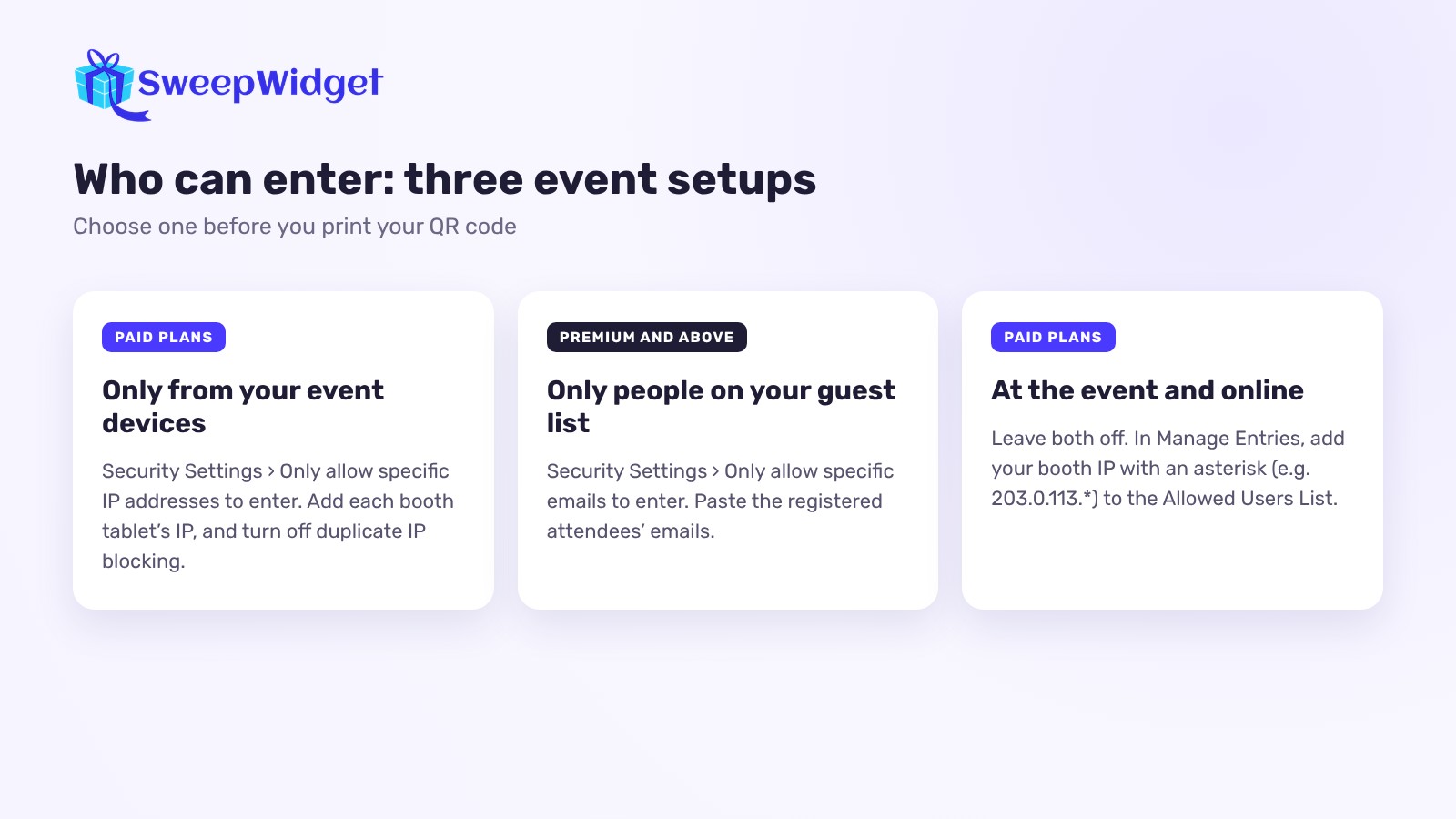
- Choose who can enter. In Security Settings, you have options for in-person events:
- Only from your event devices. Tick Only allow specific IP addresses to enter and add the IP address of each booth tablet. (Paid plans.)
- Only people on your guest list. Tick Only allow specific emails to enter and paste the registered attendees’ emails (Premium plan and above).
- Both event and online. Leave those off, and in Manage Entries add your booth device’s IP with an asterisk (for example 203.0.113.*) to the Allowed Users List. The booth tablet can then take unlimited entries, while normal limits apply to everyone else. (Paid plans.)
- Print your QR code and test it on several phones before you print in bulk.
- Collected paper forms or badge scans? Upload them as a CSV file so they join the same draw (Premium plan and above, up to 10,000 rows per upload). Rows with an email that’s already in the giveaway are skipped, so nobody is entered twice. Only upload people who agreed to your giveaway rules.
- Write short rules and print the link on your sign: how to enter, who can enter, when the draw happens and how winners are contacted. If you also sell at the booth, keep entry free of any purchase: tying entry to a purchase brings extra legal rules in many places. For why paid entry changes things, see how to do a raffle online.
How to pick the winner fairly
At a set time, draw at random in front of people. For a draw after the event, go to Manage Entries, click Pick A Winner and choose Randomize the Selection. You can require a minimum number of entries. For example, set it above what someone can earn without a demo, so only demo visitors qualify, and say so in your rules.
Contact winners straight away while the event is fresh, and follow up with everyone else within a few days. A thank-you email with a useful offer is what turns booth visitors into customers.
Ready to plan the draw? See how to pick a winner at random. For how to check winners and show the draw was fair, read how to pick a giveaway winner fairly.
FAQ
Prizes related to what you sell, like your product, a year of service or a bundle, plus a few small instant rewards. They attract prospects rather than people collecting free stuff.
Use a QR code or a booth tablet that opens an entry form with a few extra fields such as company and job title. Every entrant leaves a name and email, and you can export the list after the event.
Yes. On paid plans, turn off duplicate IP blocking for that giveaway, or add the tablet’s IP address to the allowed list with an asterisk so it can take unlimited entries.
Put the draw time on your booth sign, then use a live draw tool on a big screen at that time. SweepWidget’s Live Draw shows only the winner’s name, never their email.
Yes. Short written rules that cover how to enter, who can enter, the draw time and how winners are contacted avoid disputes. If you sell at the booth, keep entry free of any purchase, since paid entry brings extra legal rules in many places.