
Duplicate A Giveaway
SweepWidget allows you to duplicate any existing giveaway, making it easy to create new contests based on previous ones. All settings, entry methods, and design elements are copied, so you can quickly launch similar giveaways without starting from scratch.
How to Duplicate a Giveaway
Step 1: Create a New Giveaway
- Log in to your SweepWidget account
- Click + New Sweepstakes from the left sidebar (or Dashboard)
Step 2: Click Duplicate Previous Giveaway
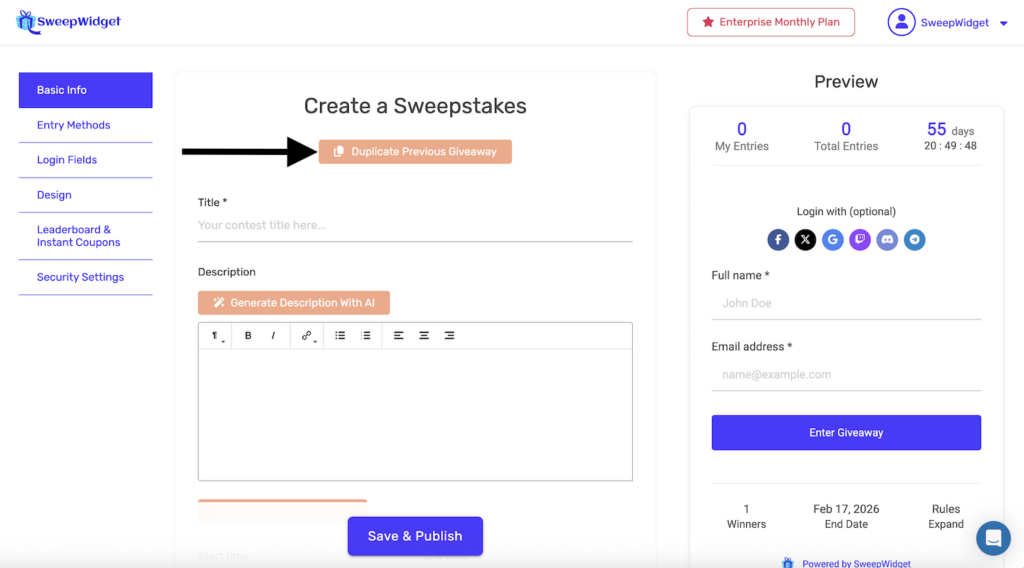
On the “Create a Sweepstakes” page, you’ll see a Duplicate Previous Giveaway button near the top of the form (orange/salmon colored button).
Click this button to start the duplication process.
Step 3: Select a Giveaway to Duplicate
A dropdown will appear showing “Select a giveaway…”
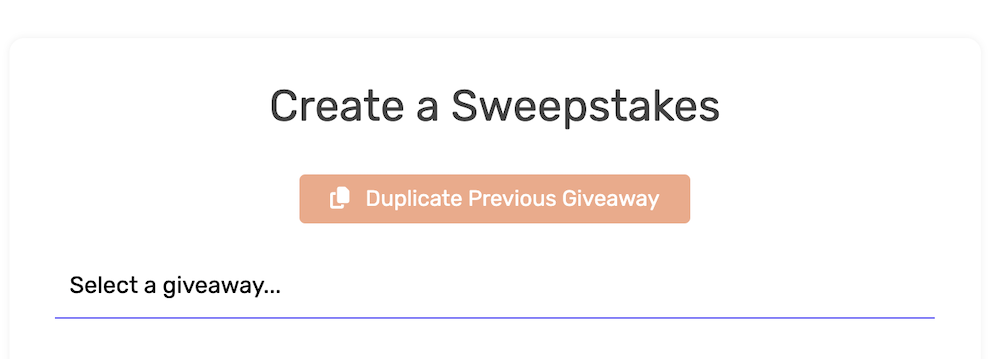
Click the dropdown to see a list of all your existing giveaways. The list includes both active and ended giveaways.
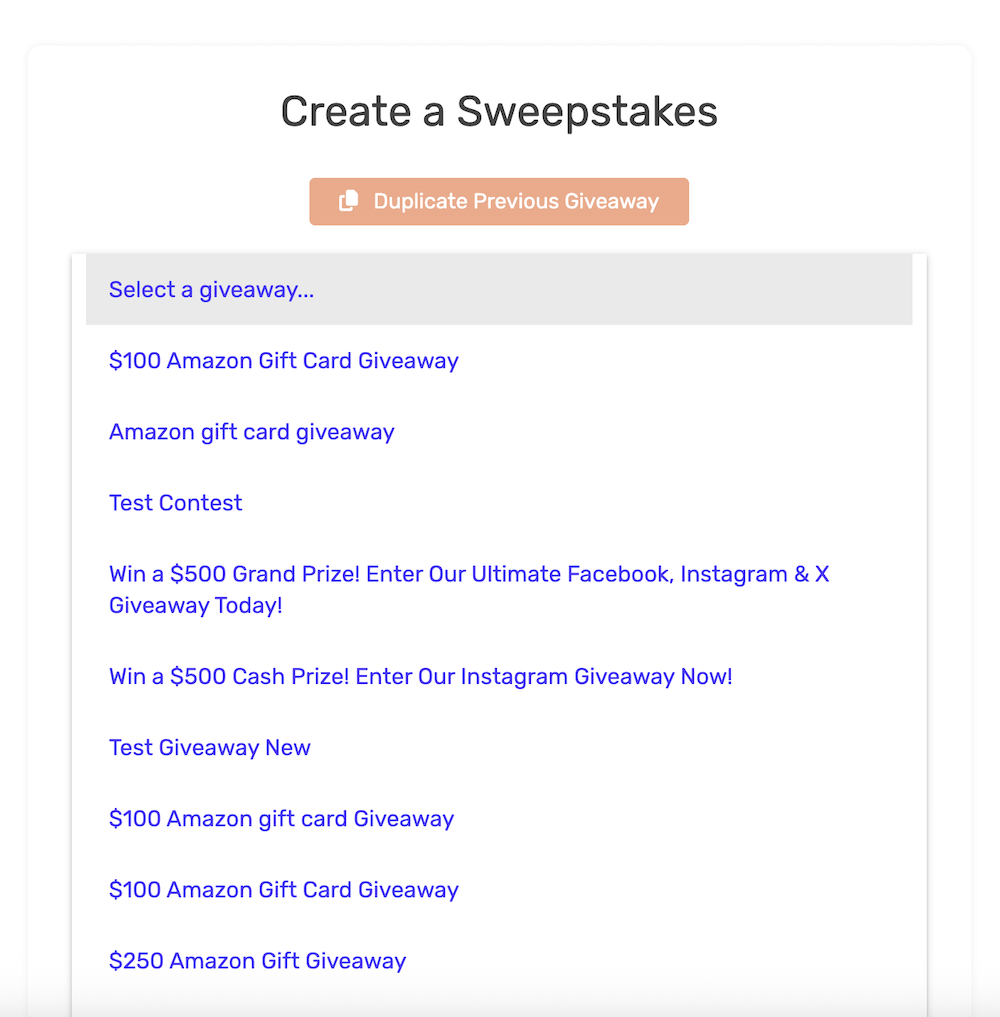
Click on the giveaway you want to duplicate.
Step 4: Review and Edit
After selecting a giveaway, all its content will be loaded into the form:
- Title and description are pre-filled
- Entry methods are copied
- Design settings are applied
- The preview on the right shows the duplicated giveaway
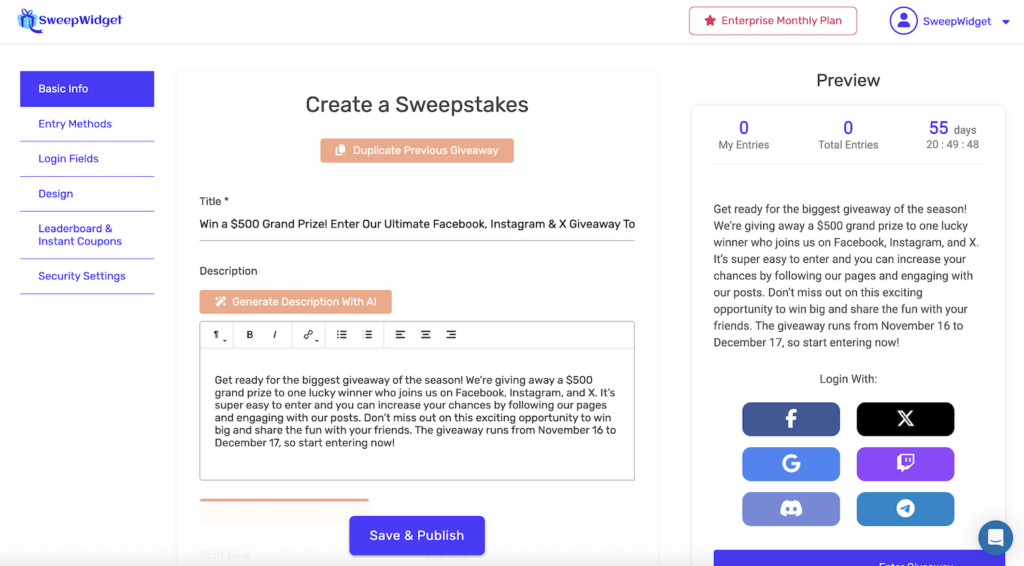
Make any changes needed (update the title, dates, prizes, etc.) and click Save & Publish when ready.
What Gets Duplicated
When you duplicate a giveaway, the following settings are copied:
| Category | What’s Copied |
|---|---|
| Basic Info | Title, description, start/end dates, number of winners, timezone |
| Entry Methods | All entry methods with their settings, points, requirements |
| Login Fields | Required fields, custom fields, login options |
| Design | Colors, fonts, images, background, custom CSS, logo |
| Leaderboard & Coupons | Leaderboard settings, instant coupon configurations |
| Security Settings | Country restrictions, fraud prevention settings, age requirements |
What Does NOT Get Duplicated
The following are not copied when duplicating:
| Item | Reason |
|---|---|
| Entries | Each giveaway starts fresh with zero entries |
| Winners | No winners are carried over |
| Analytics | View counts and statistics start at zero |
| Unique URL/ID | A new unique giveaway ID is generated |
| Embed Code | New embed codes are created for the new giveaway |
When to Use Duplication
Duplicating giveaways is useful in these scenarios:
| Use Case | Example |
|---|---|
| Recurring giveaways | Monthly or weekly contests with the same format |
| Seasonal promotions | Annual holiday giveaways with similar structure |
| A/B testing | Create variations of a giveaway to test different approaches |
| Multi-region campaigns | Same giveaway structure for different countries |
| Template creation | Use a past successful giveaway as a starting template |
| Brand consistency | Maintain the same design across multiple giveaways |
Things to Update After Duplicating
After duplicating a giveaway, remember to update these items:
- Title – Update to reflect the new giveaway
- Description – Modify dates, prizes, and details
- Start and end dates – Set new dates for the giveaway
- Prize information – Update if prizes have changed
- Entry method links – Update any URLs that point to specific posts or pages
- Social media handles – Verify all handles are still correct
- Images – Replace with new promotional images if needed
- Rules – Update any date-specific rules
Tips for Using Duplication
- Create a template giveaway – Set up a “master” giveaway with your standard settings and duplicate it for new campaigns
- Review all settings – Even though settings are copied, always review everything before publishing
- Check entry method integrations – Verify that connected accounts (Twitter, YouTube, etc.) are still valid
- Update custom URLs – If you use a custom hosted landing page URL, create a new one for the duplicated giveaway
- Test before launching – Enter the giveaway yourself to ensure all entry methods work correctly
Duplicating vs. Editing
| Action | When to Use |
|---|---|
| Duplicate | When you want to create a new, separate giveaway based on an existing one |
| Edit | When you want to modify an existing giveaway that’s already live or has entries |
Duplicating creates a completely new giveaway with its own entries, winners, and analytics. Editing modifies the existing giveaway in place.