
How To Get The Link To Your Giveaway Hosted Landing Page
Every published giveaway gets a free hosted landing page. This article shows how to get its link so you can share it wherever you promote your giveaway.
The link looks like https://sweepwidget.com/c/12345-abc123. On Premium and above you can replace the part after /c/ with a custom URL.
You can also embed the giveaway in your own website.
Option 1: After you save
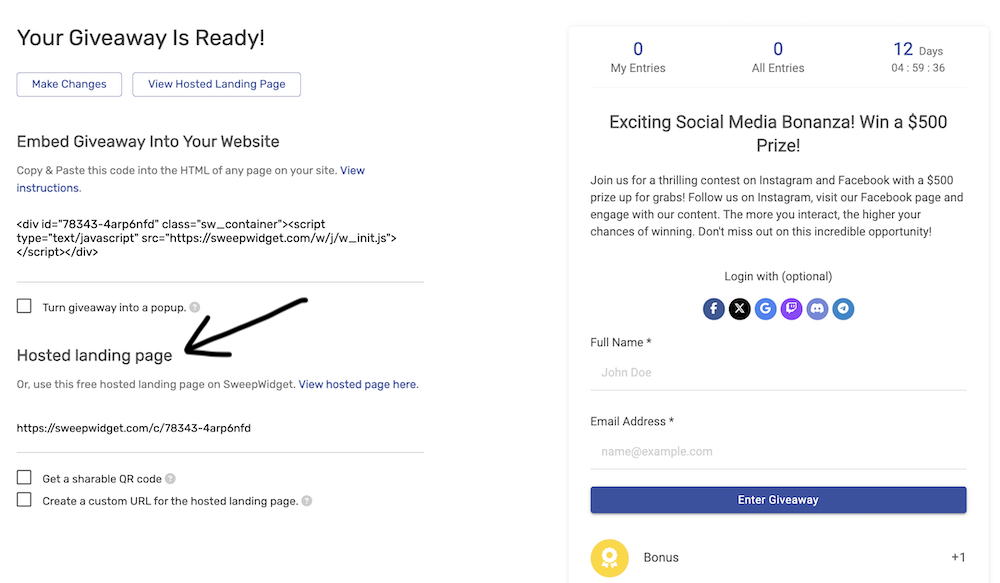
- Create a new giveaway or edit an existing one.
- Click Publish (new giveaway) or Save Changes (existing giveaway).
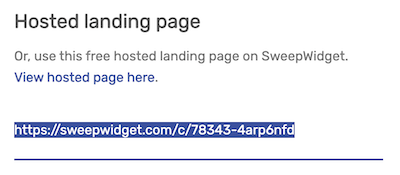
- You land on the “Your Giveaway is Ready!” page. In the Hosted landing page section, copy the link, or click View hosted page here to open it.
Option 2: From the Dashboard
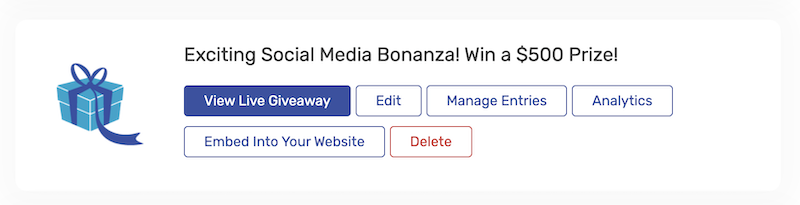
- Go to your Dashboard.
- Find the giveaway and click View Live Page.
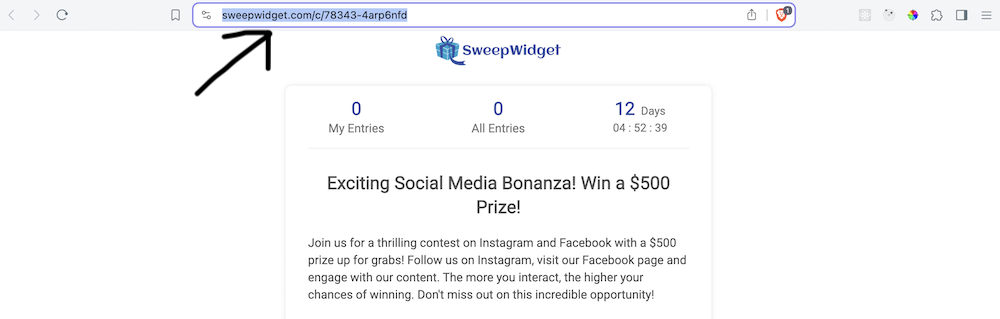
- Copy the address from your browser’s address bar.
Drafts have no hosted page until you publish them.