How to Run a Whatnot Giveaway (and Where an Outside Giveaway Fits)
To run a giveaway on Whatnot, use Whatnot’s own giveaway feature during a livestream: add a giveaway listing to your show in the app or in Seller Hub on whatnot.com (before you go live or during the show), choose who can enter, and Whatnot draws the winner when the giveaway ends. You ship the prize like any other order, within 2 business days, and cover the shipping.
Whatnot’s rules are strict about what you can add on top, so it’s worth knowing them before your first show. At the end, we cover where a giveaway outside Whatnot can help you fill your shows, and where it doesn’t belong.
What types of giveaways does Whatnot have?
According to Whatnot’s help centre, there are three:
- Standard giveaways. Any viewer can enter from the app during your show.
- Follower-only giveaways. Only viewers who follow you can enter. Good for building your follower count.
- Buyer Appreciation giveaways. A thank-you for viewers who buy during your show. In the US and Canada, there’s also a free way to enter through a web form, and you can’t block or work around it.
Viewers enter in the Whatnot app while watching your show.
What are Whatnot’s giveaway rules?
The main ones, in plain words. Read Whatnot’s current Giveaway Rules and Requirements yourself before you run one, as they change.
- Use only Whatnot’s giveaway feature. You can’t add your own requirements to win, like “follow me on Instagram” or “join my Discord”.
- Finish it in the same show. Every giveaway has to be completed within the livestream where it ran.
- No purchase-based prizes. You can’t sell chances to win, or use a Buyer Appreciation giveaway as a paid raffle. You also can’t require buyers to spend more than a set amount to qualify, or raise an item’s price so the purchase works as an entry.
- Say what the prize is before you run the giveaway, in the listing or on stream.
- You pay to ship it. The winner doesn’t pay shipping (including international shipping, if you turn it on), and you ship the prize within Whatnot’s 2-business-day window.
- Follow the law where you and your buyers are, as well as Whatnot’s terms.
How to run a Whatnot giveaway, step by step
- Pick a prize your buyers want. Something from your niche: a pack, a single, a small bundle. Cheap and relevant beats expensive and random.
- Open Seller Hub and go to your scheduled show.
- Add a giveaway listing. Choose the type (standard, follower-only or Buyer Appreciation) and describe the prize clearly. For a Buyer Appreciation giveaway, put your official rules in the Giveaway Rules field.
- Plan when it runs. Many sellers run one early to pull viewers in and one later to keep them watching.
- Start the giveaway on stream and tell viewers how to enter in the app.
- Let Whatnot draw the winner. You can end the giveaway early from the giveaway box if you need to.
- Ship the prize like any other order (it appears in Shipments in Seller Hub) within 2 business days, and thank the winner on stream.
Ways to make your Whatnot giveaways work harder
- Use follower-only giveaways to turn viewers into followers who get notified of your next show.
- Announce giveaways ahead of time on your socials, so people show up when you go live.
- Keep prizes in your niche. You want buyers who come back, not people who only enter giveaways.
- Be consistent. A giveaway at the same point in every show gives regulars a reason to stay.
Where an outside giveaway fits (and where it doesn’t)
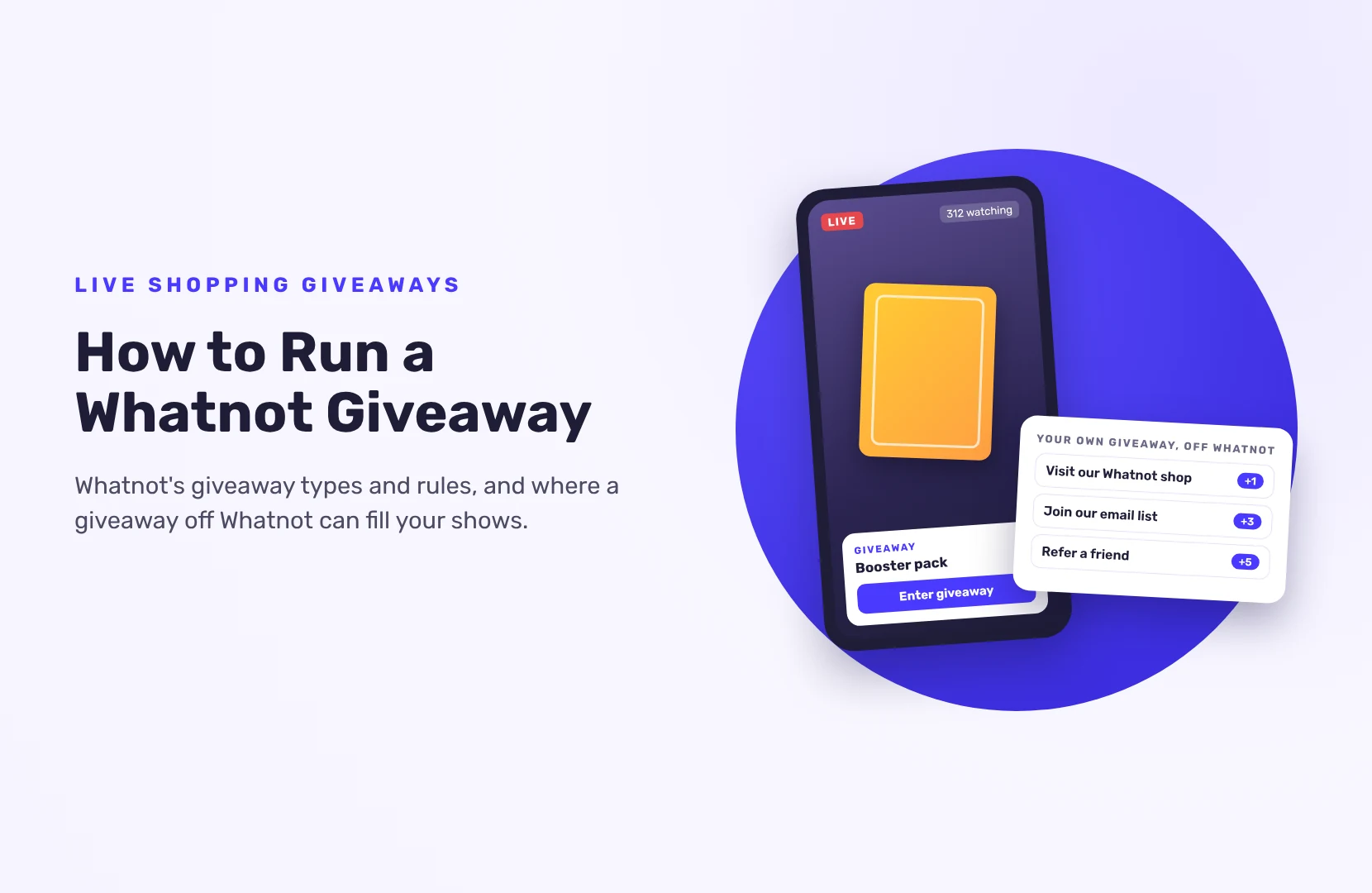
A Whatnot giveaway only reaches people already watching. To grow the audience that shows up, some sellers run a separate giveaway off Whatnot, on their website, socials and email list.
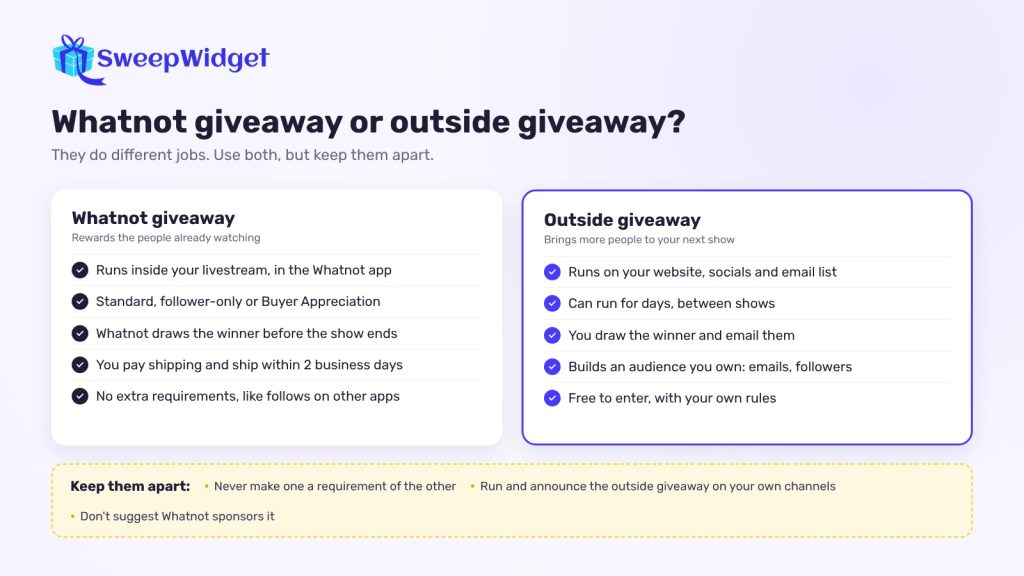
Keep the two apart:
- Don’t make your outside giveaway a requirement of a Whatnot giveaway, or the other way round.
- Run, draw and announce it on your own channels. Check Whatnot’s rules before you mention it during a show.
- Don’t use Whatnot’s name or logo in a way that suggests Whatnot sponsors or runs it.
- Keep entry free, and write your own rules for it.
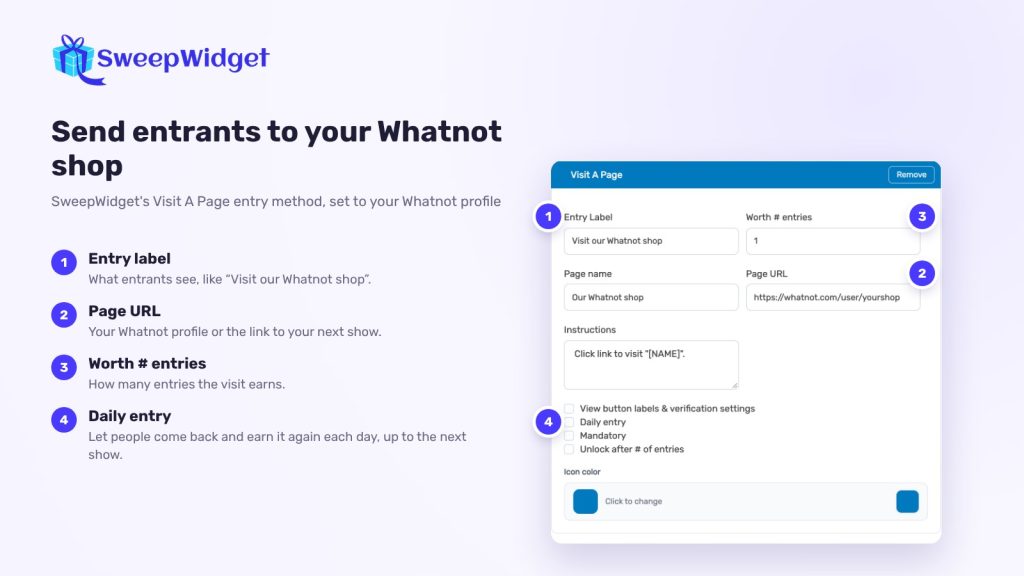
With SweepWidget, an outside giveaway can send people to your Whatnot profile and build an audience you own:
- Visit A Page. Link to your Whatnot profile or next show. Entrants get credit when they click (see the Visit A Page help doc). Tick Daily entry so they can come back each day.
- Subscribe to your newsletter (Pro and above), so you can email them before every show. It connects to 30+ email platforms.
- Follow you on Instagram, TikTok, YouTube or other platforms.
- Refer a friend, (Pro and above), so each entrant gets a link that earns extra entries when friends enter.
- Daily entries, so people come back each day the giveaway runs.
When it ends, go to Manage Entries > Pick A Winner > Randomize the Selection. The draw is random, weighted by entries, and never picks the same person twice. Every entrant leaves an email address, so you contact the winner and ship the prize yourself. Your plan sets how many winners you can pick: 1 on Free, 50 on Pro, 250 on Business, 1,000 on Premium and unlimited on Enterprise. On the Free plan you can view or download up to 10 entrants’ emails; paid plans show every entrant’s email.
Want to see how the draw works? See how SweepWidget picks a random winner.
FAQ
The seller. According to Whatnot’s help centre, giveaways are free to enter and the seller pays shipping, including international shipping if you turn it on. Ship the prize within 2 business days.
No. Whatnot doesn’t allow requirements outside its own giveaway feature. A follower-only giveaway, which requires following you on Whatnot, is allowed.
Whatnot’s Buyer Appreciation giveaways reward buyers in your show, with a free web-form entry in the US and Canada. You can’t require a minimum spend, or raise prices so a purchase works as an entry.
Not for a giveaway inside your show; Whatnot’s own feature handles those. You can run a separate giveaway on your own website and socials, as long as it’s not tied to a Whatnot giveaway.
Yes. You can end a giveaway early from the giveaway box during your show, and Whatnot draws the winner.