How to Pick a Winner on X (Twitter), Fairly and in a Few Minutes
Last updated on November 16th, 2026 at 05:36 pm
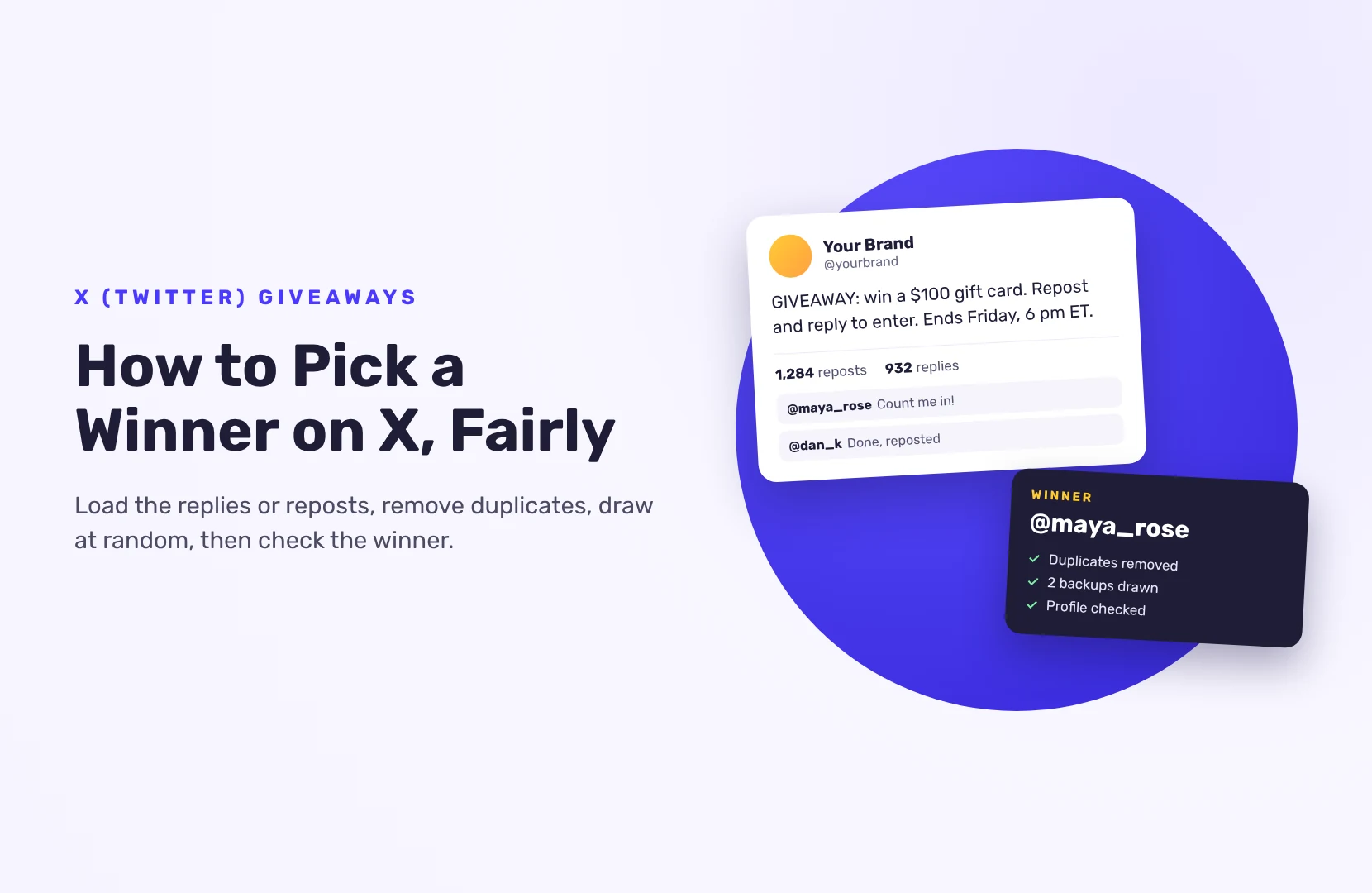
To pick a winner on X (Twitter), wait for your deadline, load your giveaway post’s replies or reposts into an X (Twitter) picker, remove duplicate users and accounts that break your rules, and draw at random. Then check the winner’s profile before you announce them.
That’s a few minutes of work. The part that makes the result easy to defend happens earlier: clear rules in the post itself.
Set rules a picker can follow
A picker can only apply rules you’ve already written. Put these in the giveaway post or a pinned reply:
- How to enter. Reply, repost, quote, or a mix? Say which one counts.
- One entry per person. Most giveaways count each account once, however many times they reply. Say that anyone using more than one account to enter is disqualified; X asks for this rule.
- The deadline, with time zone. Replies after it don’t count.
- Who can enter. Age and country, at least.
- How you’ll contact the winner, and how long they have to answer.
X has its own guidelines for promotions. In short: follow the law where you run the giveaway, don’t encourage people to create extra accounts, and don’t reward posting the same thing again and again. A rule like “whoever reposts the most wins” can get entrants filtered out of X search, so avoid it.
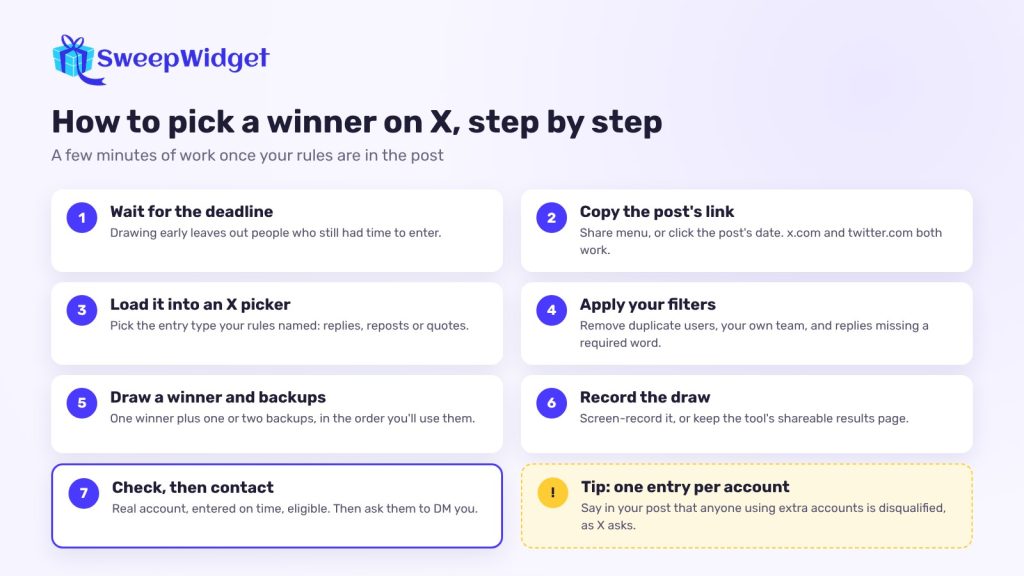
How to pick a winner on X, step by step
- Wait until the deadline passes. Drawing early leaves out people who still had time to enter.
- Copy the link to your giveaway post. Use the post’s share menu, or click its date and copy the address. Both x.com and twitter.com links work in most tools.
- Load the post into an X picker. Choose the entry type that matches your rules: replies, reposts or quotes.
- Apply your filters. Remove duplicate users. Exclude your own account and your team. If your rules require a keyword or a mention in the reply, filter for it.
- Draw one winner, plus one or two backups, in the order you’ll use them.
- Record the draw, or use a tool that gives you a results page you can share.
- Check the winner (below), then contact them.
Which X picker should you use?
Pickers that still load X posts include Comment Picker, AppSorteos (Rafflys) and EasyComment’s browser extension. X’s API has become paid and more limited in recent years, so tools come and go and free plans change often. Test the one you choose on a small post before you announce the giveaway.
Look for:
- Duplicate removal by account, not just identical text
- The entry type you need: replies, reposts or quotes
- A limit high enough to load every entry on your post
- Filters for keywords, mentions and your own accounts
- Multiple winners in one draw, with no repeats
- A shareable results page as proof
Many pickers can no longer read likes, so don’t make “like to enter” your only rule.
How to check an X winner
You only check the winner, so it’s quick. Open their profile and look for:
- A real account. A brand-new account, no profile photo, a handle full of numbers and a timeline of nothing but giveaway reposts are all warning signs.
- Entry before the deadline, in the way your rules asked.
- Follows, if you required them. Check your followers list for their handle.
- Eligibility. Age and country, if their profile or reply tells you.
If they don’t qualify, move to your first backup.
How do you contact the winner?
Reply to the winning post and ask them to send you a direct message, since many people only accept messages from accounts they follow. Set a reply deadline, often a few days, and go to the backup if it passes.
Warn your audience about scams. Fake accounts copy your name and photo and reply “You won, DM me”. Say in your post: “We’ll only contact winners from this account, and we’ll never ask you to pay to claim a prize.”
When a picker isn’t enough: run a hosted giveaway
An X picker gives you a handle and nothing else. You can’t email the winner, and everyone who enters stays on X.
A hosted giveaway collects more. With SweepWidget, entrants enter on a giveaway page with their name and email, and earn entries for X actions:
- Follow your account
- Post a tweet you’ve written for them
- Repost a post you choose
X doesn’t let outside tools confirm these actions, so they’re taken on trust: entrants give their username or paste the link to their post, and you check the winner by hand before you announce them. That’s the same check you’d do after an X picker.
You can add actions on other platforms, a newsletter signup or a refer-a-friend link in the same giveaway. Disposable email addresses are blocked on every giveaway, and you can block VPNs too.
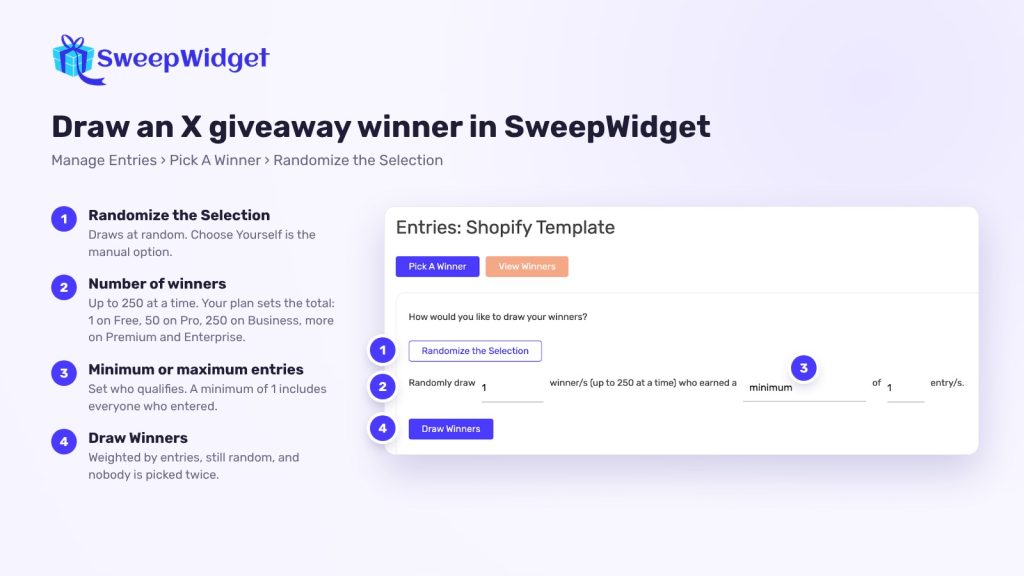
To draw, go to Manage Entries > Pick A Winner > Randomize the Selection. You can draw up to 250 winners at a time (your plan sets the total: 1 winner on Free, 50 on Pro, 250 on Business, 1,000 on Premium and unlimited on Enterprise), set a minimum or maximum number of entries to qualify, and the draw never picks the same person twice. Entrants with more entries have better odds, but the result is still random. If you picked the wrong person by mistake, unpick them and draw again.
Going live? Live Draw (every paid plan, from Pro) shows only the winner’s name and prize on screen, with an instant, countdown or spin wheel reveal.
Because every entrant leaves an email address, contacting the winner is a normal email, not a hunt through replies. On the Free plan you can view or download up to 10 entrants’ emails; paid plans show every entrant’s email, so check your plan before a big giveaway.
Want to see the draw in action? See how SweepWidget picks a random winner.
Ready to run your first giveaway?
Start free on SweepWidget and move to Pro when you want to view and download all your entrants’ emails and get fraud controls. Or compare SweepWidget’s plans and features first.
No credit card required
FAQ
Some pickers have a free tier, usually with a cap on how many replies or reposts they load. Check the cap is higher than your entry count, or you’re not drawing from everyone.
Often not. Since June 2024, likes on X are private: only the post’s author can see who liked it, so only a tool connected to your own X account can load them, and many can’t. Use replies or reposts as your entry rule instead.
Some tools have tried, but X’s limits make it unreliable. Check the winner’s follow by hand before you announce them.
X’s guidelines discourage rules that reward duplicate posts. Count one entry per account and say so in your post.
Record your screen while you draw, or share the tool’s results page. Announce when and how the winner was picked. More in how to pick a giveaway winner fairly.