What Is the Random Winner Picker App to Use for a Giveaway?
SweepWidget is a random winner picker app built into a giveaway tool. It collects your entries and picks a winner at random for you, so the draw happens in the same place as the contest. If you only have a list of names already, a standalone random picker will also do the job. Which one fits depends on where your entries live.
This guide explains the two kinds of tools, shows you how to run a draw step by step, and covers the checks to make before you announce anyone.
Which kind of random winner picker app do you need?
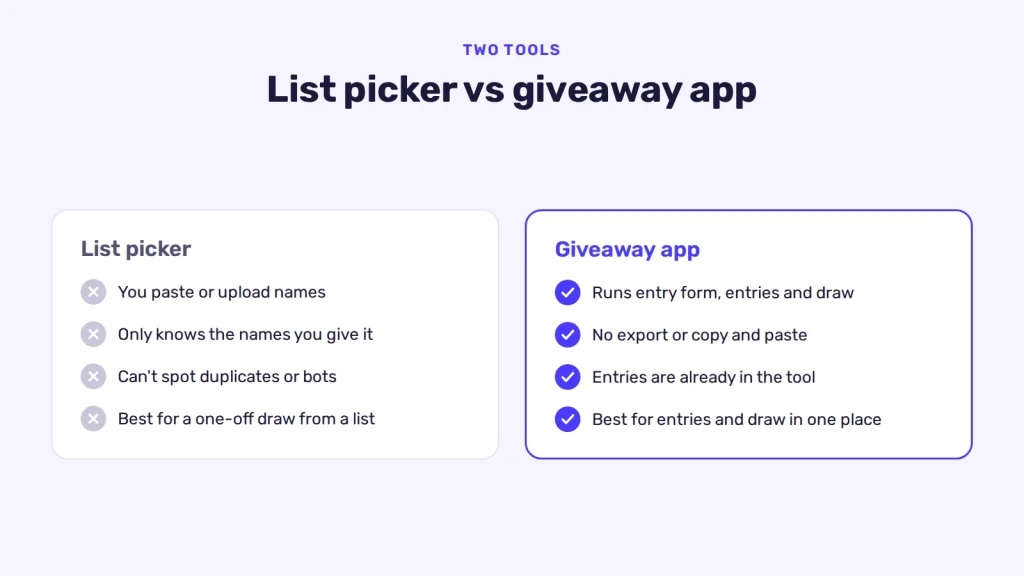
There are two kinds of tools, and they solve different problems.
List pickers. You paste or upload names, set the number of winners, and press a button. Many are free. They’re quick, but they only know the names you give them. They can’t tell whether someone really followed your account, entered twice under different emails, or used a bot.
Best for: a one-off draw from a list you’ve already collected, such as blog comments. For more on that kind of draw, see our guide to a random name picker for raffles and giveaways.
Giveaway apps. These run the whole contest: the entry form, the entry actions, the entry list and the draw. SweepWidget is one of these. It has 120+ entry methods. Because the entries are already inside the tool, there’s no export, no copy and paste, and no list to tidy before the draw.
Best for: any giveaway where you want entries, the draw and the winner details in one place.
We make SweepWidget, so treat this as our view: if you’re running more than one giveaway, or you want the entry list to be trustworthy, a giveaway app saves work. If you’re drawing once from a list you trust, a list picker is enough. If you’re just starting, our free giveaway app guide shows how to run your first one.
How do you pick a winner at random in SweepWidget?
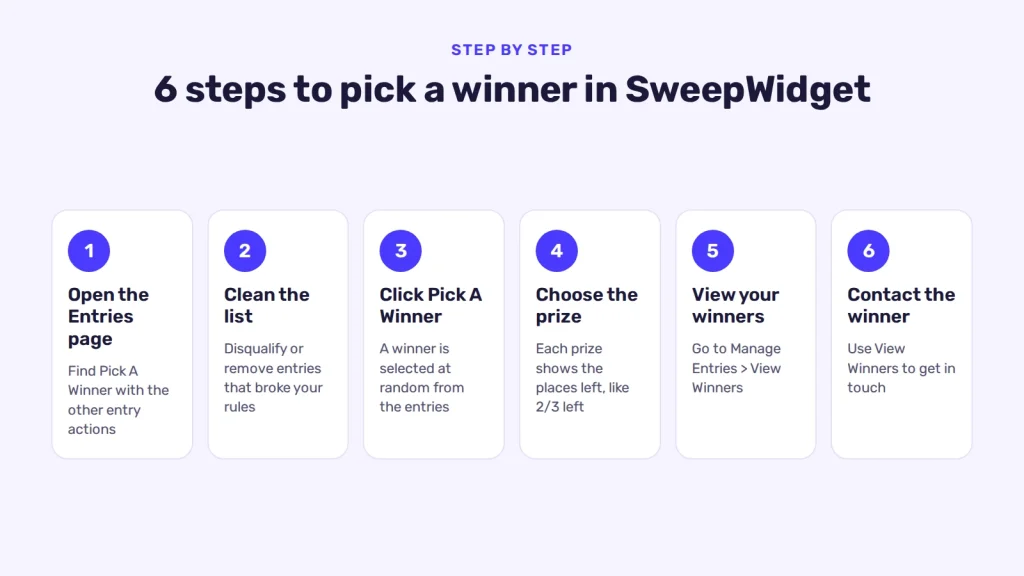
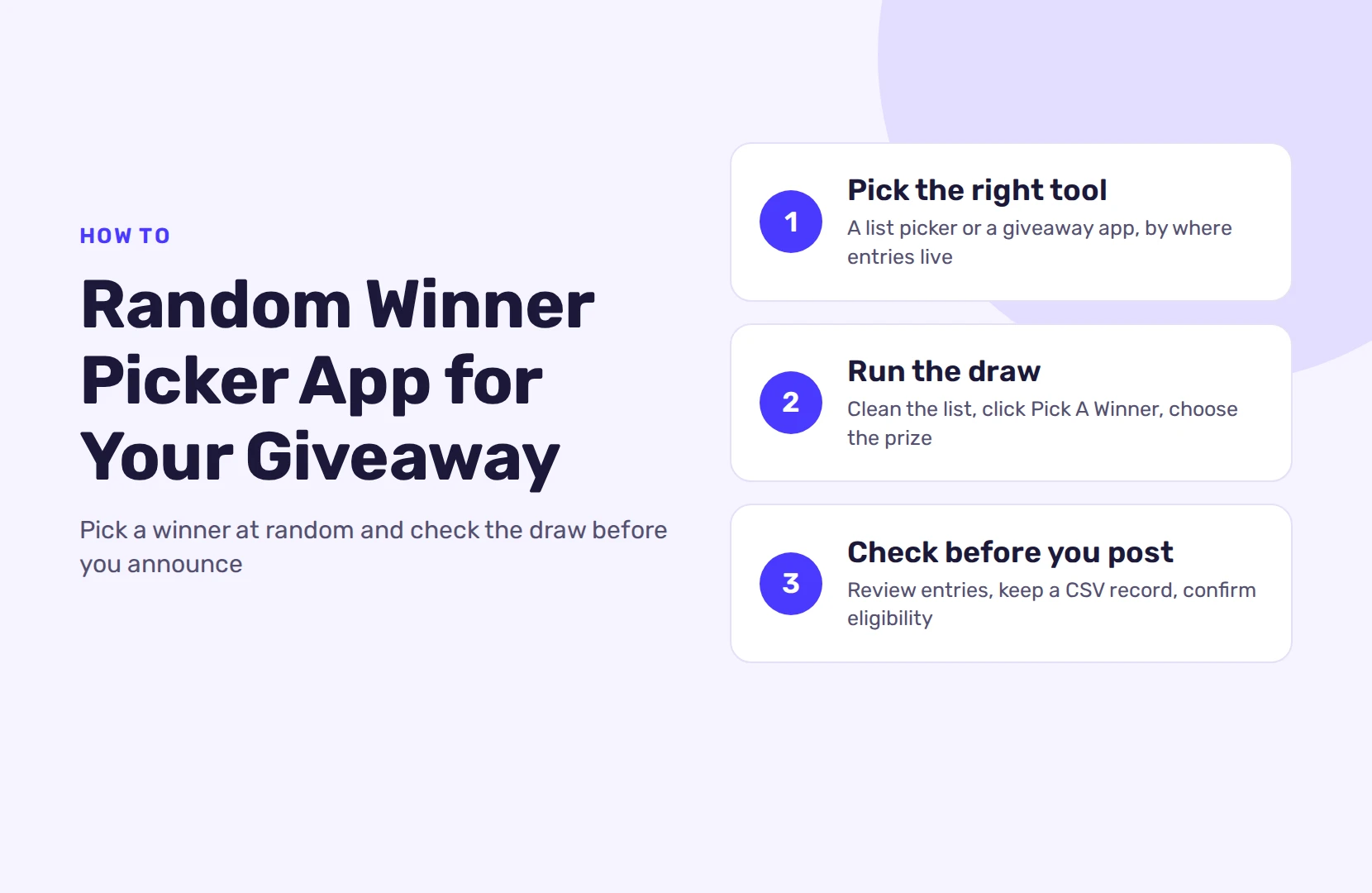
You open your giveaway’s entries and use the Pick A Winner button. That’s the whole draw. Here are the steps.
- Open your giveaway’s Entries page. The Pick A Winner button sits with the other entry actions, next to View Winners, Disqualify Users and Download CSV File.
- Clean the list first. Disqualify users or entries that broke your rules before you draw. You can also remove specific entries or delete them.
- Click Pick A Winner. SweepWidget randomly selects a winner from the entries. You can also choose a winner by hand if you need to.
- Choose the prize. If you run several prizes, pick the one you’re allocating. Each prize shows how many places are left, for example “Grand Prize (2/3 left)”. If a prize runs out mid-draw, only the remaining places are filled.
- View your winners. Go to Manage Entries > View Winners to see their details.
- Contact the winner. Open View Winners to get in touch. You must pick winners first.
For the full walkthrough, see the help article on how to randomly pick a winner. For fair-draw tips across platforms, see how to pick a giveaway winner fairly.
How many winners can you pick?
It depends on your plan. The limit counts all winners in a giveaway, whether you pick them randomly or by hand. One random draw picks at most 250 winners at a time.
| Plan | Winners per giveaway | Price |
| Free | 1 | $0 |
| Pro | 50 | $29/mo or $290/yr |
| Business | 250 | $59/mo or $590/yr |
| Premium | 1,000 | $119/mo or $1,190/yr |
| Enterprise | Unlimited | $249/mo or $2,490/yr |
Prices are list prices. The Free plan has unlimited campaigns and unlimited entries, and entrants’ emails are still collected in your SweepWidget dashboard, but you can view or download only the first 10 entrants’ details on Free. Yearly plans cost 10 months of the monthly price for 12 months, about 17% off. See the full pricing page for what each plan includes.
What should you check before you announce a winner?
A random draw is only fair if the entries are real. Run through this checklist before you announce anyone.
- Check the entries, not just the draw. Review the entry list for duplicates or entries that break your rules, and disqualify them before you pick. Disposable and temporary email addresses are blocked on every plan. Email verification code and geo-blocking are Premium, and phone (SMS) verification is Enterprise.
- Know what can’t be checked. Instagram, Facebook, TikTok, X and YouTube subscribe entries are taken on trust, because outside tools can’t confirm them. Check your winner’s account by hand before you announce.
- Keep a record. SweepWidget doesn’t keep a draw log: if you unpick a winner or draw again, the earlier result is replaced. Take a screenshot or screen recording of the draw, and download the winners list as a CSV, so you can show how the winner was chosen if someone asks.
- Confirm eligibility. Check the winner meets your rules, such as location and age, before you announce.
- Stay within your winner limit. Plan for the number of prizes you have, and pick that many winners.
A standalone list picker can’t do most of this. It sees names, not entries.
What rules do you need to follow?
Publish official rules with every giveaway. Say who can enter, when it ends, how the winner is chosen and how you’ll contact them.
Follow the rules of the platform you promote on. Meta says a promotion on a Page, group or event must not require or incentivize people to share, repost, tag others or otherwise publicize it. Entrants must release Meta and hold it harmless, and acknowledge that Meta doesn’t sponsor or run the promotion. So skip share, tag and invite entries there. Our Facebook giveaway guide has the details. If you run a giveaway with a partner brand or an influencer, label the paid partnership clearly. The FTC explains this in its endorsement guidance.
Rules for prize promotions vary by country and state. In the US, the FTC says a sweepstakes that requires a purchase to enter is illegal; see No Purchase Necessary and sweepstakes vs contest vs lottery. If the prizes total more than $5,000 and the promotion is tied to consumer products or services, you may have to register ahead of time with New York and Florida, and may need a bond or deposit. This is general information, not legal advice. Ask a lawyer if the prize is large. For official guidance, start with the FTC’s page on prizes, sweepstakes and lotteries.
How do you contact a winner safely?
Message them from your official account or email, and tell them how to confirm. Fake-winner scams are common: scammers pose as the brand and ask winners to pay a fee, or message your entrants pretending to be you.
- Never ask a winner to pay anything to receive a prize.
- Announce the winner publicly (or by your official email) so others can see it’s real.
- Tell entrants you’ll only contact winners from your verified accounts.
- Ignore and report accounts that claim to be you.
When is a simple random picker not enough?
A list picker stops being enough when you need to trust the entries. If you want to collect entries, limit abuse and draw from one place, a giveaway app fits better.
SweepWidget’s random picker is built into the entries page, so you draw from the entries you actually collected. You can also pick winners manually, add or disqualify entries, and run more than one prize. Pro shows all entrants’ emails and connects to your email tool. On Free, the newsletter entry method and the email integrations, photo and video contests, and refer-a-friend, secret code, file upload and purchase entries are not available.
Ready to run your first giveaway?
Start free on SweepWidget and move to Pro when you want to view and download all your entrants’ emails and connect your email tool.
No credit card required
FAQ
A random winner picker app draws one or more names from a list of entries. SweepWidget does this inside the giveaway itself, using the Pick A Winner button on the Entries page.
Yes. SweepWidget’s Free plan has unlimited campaigns and unlimited entries, and you can view or download the first 10 entrants’ details. It allows one winner per giveaway. Free list pickers also exist if you only need a quick draw from names you already have.
Yes, on paid plans. Pro allows up to 50 winners, Business 250, Premium 1,000 and Enterprise unlimited. The Free plan allows 1.
Yes. You can select winners randomly or manually, and the same winner limit applies to both.
Not on its own. You also need clear official rules and must follow platform and local promotion laws. This is general information, not legal advice. Ask a lawyer if the prize is large.