How to Run a Shopify Giveaway That Drives Sales
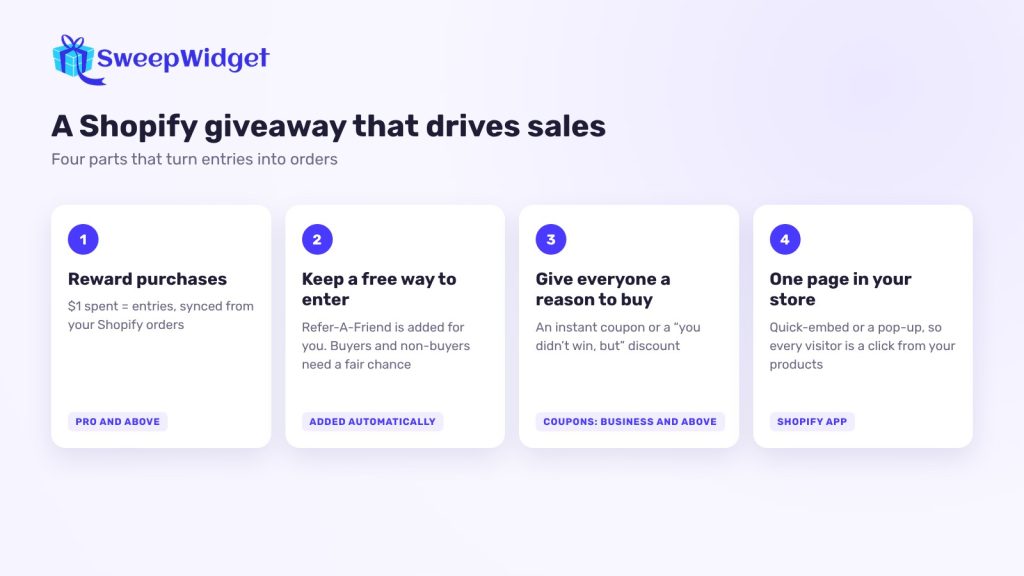
A Shopify giveaway drives sales when the entries are tied to orders: customers earn entries for every dollar they spend, so buying is the best way to improve their odds. Add a discount for everyone who enters, put the giveaway where shoppers already are, and you get orders during the giveaway and after it ends.
A giveaway that only asks for follows and emails can grow your audience, but it won’t move this month’s revenue. Here’s how to build one that does, without shutting out people who don’t want to buy.
Why most Shopify giveaways don’t drive sales
They reward the wrong thing. If every entry comes from a follow or a newsletter signup, you’ll get entrants who want the prize but have no reason to buy. Three changes fix that:
- Reward purchases with entries, so buying now is worth more than waiting.
- Give every entrant a reason to buy anyway, usually a discount, so the people who don’t win still convert.
- Point every channel at one giveaway page in your store, so the giveaway sends traffic to your products, not away from them.
1. Choose a prize that sells your products
The prize should make people want what you sell. A bundle of your best sellers, a gift card for your store or early access to a new collection all work. A generic prize like a gaming console brings entrants who have no interest in your shop.
Store credit has a bonus: winners usually spend more than the credit when they redeem it.
2. Reward purchases with entries
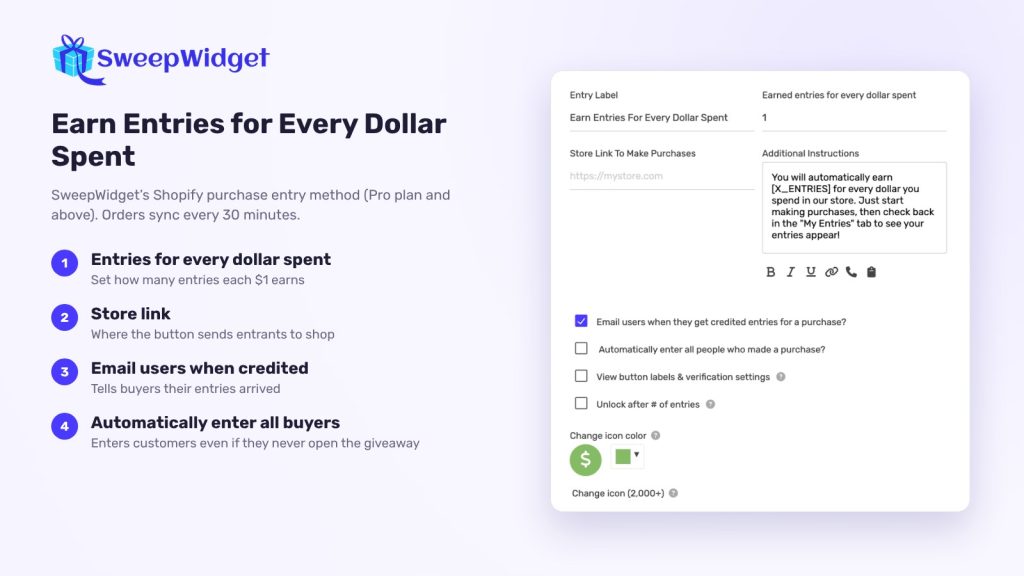
With SweepWidget’s Shopify app, the Earn Entries For Every $1 Spent entry method reads your store’s orders and adds entries automatically (Pro plan and up). The options that matter for sales:
- Entries per dollar. For example, one entry per $1, or a store-wide rate such as 10 entries per $25.
- Which products count. Track every product, choose specific ones, or filter by collection. Use this to push a new line or leave out low-margin items and gift cards.
- Per-product rates. Give more entries for the products you most want to move.
- A minimum spend. Only orders above a set amount earn entries.
- A maximum per person. Cap the entries one customer can earn from purchases, so a single big order doesn’t dominate the draw.
Orders sync every 30 minutes. Paid orders count, and so do partly refunded ones. Customers who bought while the giveaway was running get entries for those orders when they enter, and you can turn on Automatically enter all people who made a purchase so buyers are entered even if they never open the giveaway. Customers need to use the same email for the giveaway and their order, or the purchase won’t be matched.
Each plan tracks a set number of orders per giveaway: 100 on Pro, 1,000 on Business, 5,000 on Premium and 100,000 on Enterprise. An order counts once however many items it has. Check that your plan covers the orders you expect. For WooCommerce, other stores and in-store sales, see how to give customers giveaway entries for purchases.
3. Use entries to nudge order size
Because entries grow with spend, a slightly bigger basket means better odds. A few ways to use that:
- Set the minimum spend just above your average order. If most orders are $40, an entry threshold at $50 encourages one more item.
- Give extra entries on bundles with a per-product rate.
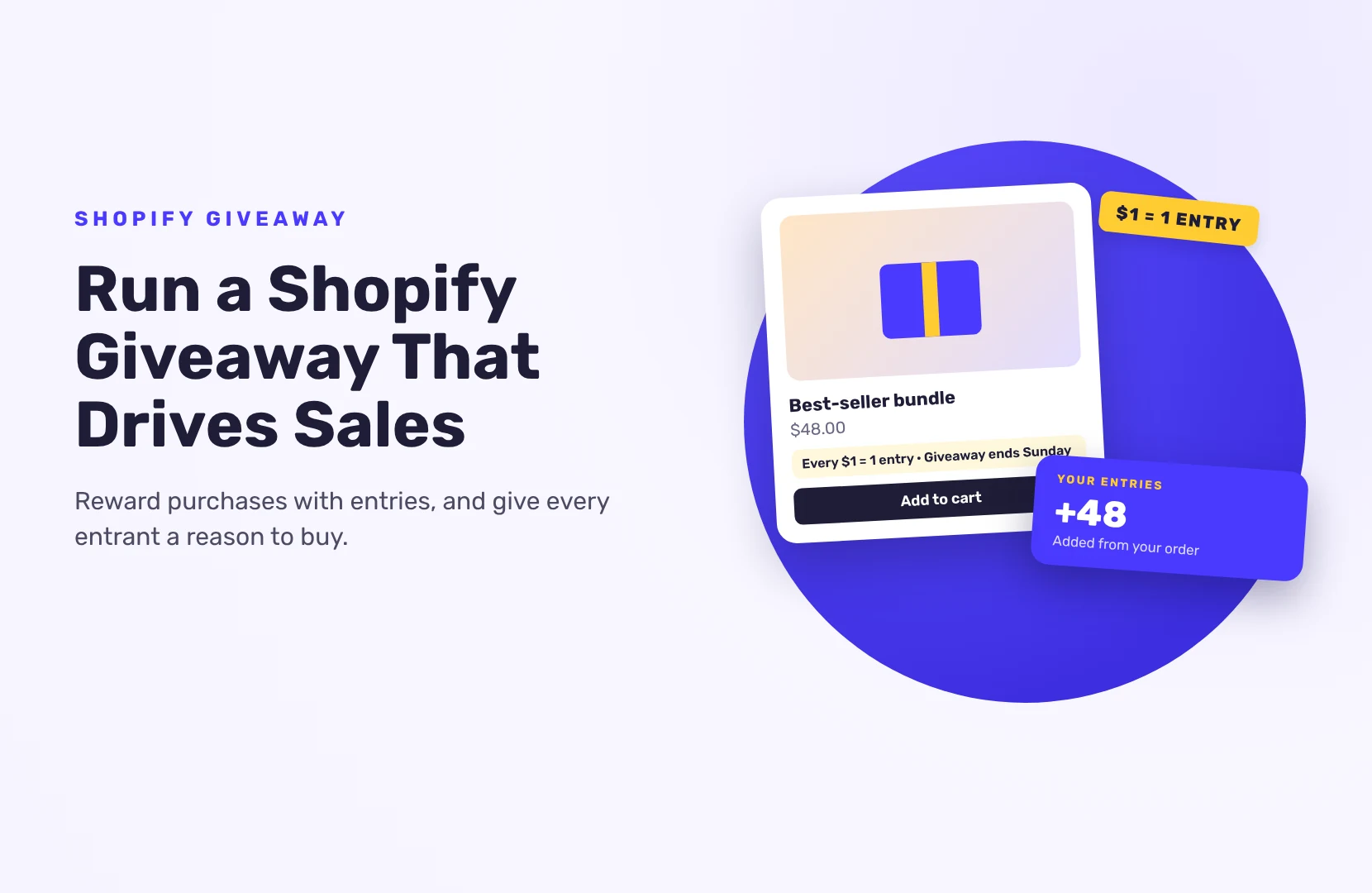
- Say it on the product page. “Every $1 = 1 entry, giveaway ends Sunday” next to the add-to-cart button turns browsing into buying.
Keep the math simple enough to say in one sentence. People won’t calculate.
4. Keep a free way to enter
Not everyone wants to buy, and in many places a purchase can’t be the only way to enter a giveaway. When you add a purchase entry method, SweepWidget adds a Refer-A-Friend entry method automatically, so people can earn entries by sharing instead. Keep it, add a newsletter signup or a social follow too, and check the rules where you run the giveaway. As SweepWidget’s Shopify help doc puts it, people need an equal chance of winning whether they spend money or not, so the free route can’t be a token gesture. More in our guide to alternative methods of entry.
The free actions bring you something as well: new people who aren’t ready to buy yet, and an email address so you can reach them later.
5. Give every entrant a reason to buy
Only a few people win the prize. Everyone else should leave with something that leads to an order:
- Instant coupons (Business plan and up). Entrants get a discount code on screen as soon as they reach a set number of entries, and can get it by email too.
- An instant win. Each entrant has set odds of winning a code when they reach the threshold, which feels more like winning than a coupon for everyone.
- A send-off after entering. Redirect people to a product page or a sale collection once they’ve finished every entry action. (This doesn’t work if the giveaway has a Refer-A-Friend action, so it suits giveaways without purchase entries.)
- A “you didn’t win, but” email after the draw, with a short-lived discount.
6. Put the giveaway inside your store
Shoppers should meet the giveaway while they shop:
- Quick-embed creates a page in your Shopify store with the giveaway on it, in one click.
- A pop-up opens the giveaway a few seconds after a visitor lands. If you turn it on after embedding, copy the updated embed code and paste it into your store page again.
- A banner or announcement bar linking to the giveaway page.
- Your email list and social posts, all pointing to the same page.
Keeping everything on one page in your store means every visitor is a click away from your products.
7. Measure the sales, not just the entries
Before you launch, write down your normal orders and average order value for a comparable period. During and after the giveaway, compare:
- Orders and revenue during the giveaway against that baseline
- Average order value, to see whether the entry thresholds changed basket size
- Coupon redemptions, for the codes you gave entrants
- The giveaway’s Analytics tab, for visitors, the share who entered and which entry actions they used
Add UTM tags to the links you share so the traffic shows up in your store analytics.
Picking a winner fairly
Draw winners at random from all entries. People with more entries have better odds, but anyone can win, which keeps it fair for small buyers. If big orders worry you, run a second draw with a maximum entry count so smaller entrants get their own chance. If you do, say so in your rules.
Want to see one in action? See an example Shopify giveaway.
FAQ
Yes. With SweepWidget’s Shopify app (Pro plan and up), customers earn entries for every dollar they spend. Orders sync every 30 minutes and entries are added automatically.
No. Orders placed while the giveaway is running are credited when the customer enters with the same email, and you can enter all buyers automatically.
Yes. Track all products, pick specific ones, filter by collection, or set different rates per product.
Paid and partly refunded orders count toward entries. If an order is fully refunded, check the winner’s order before you announce them.
Yes, and they should be able to. SweepWidget adds a Refer-A-Friend entry method automatically when you add a purchase entry method, and you can add other free actions.