Random Name Picker for Raffles and Giveaways (How to Draw a Name Fairly)
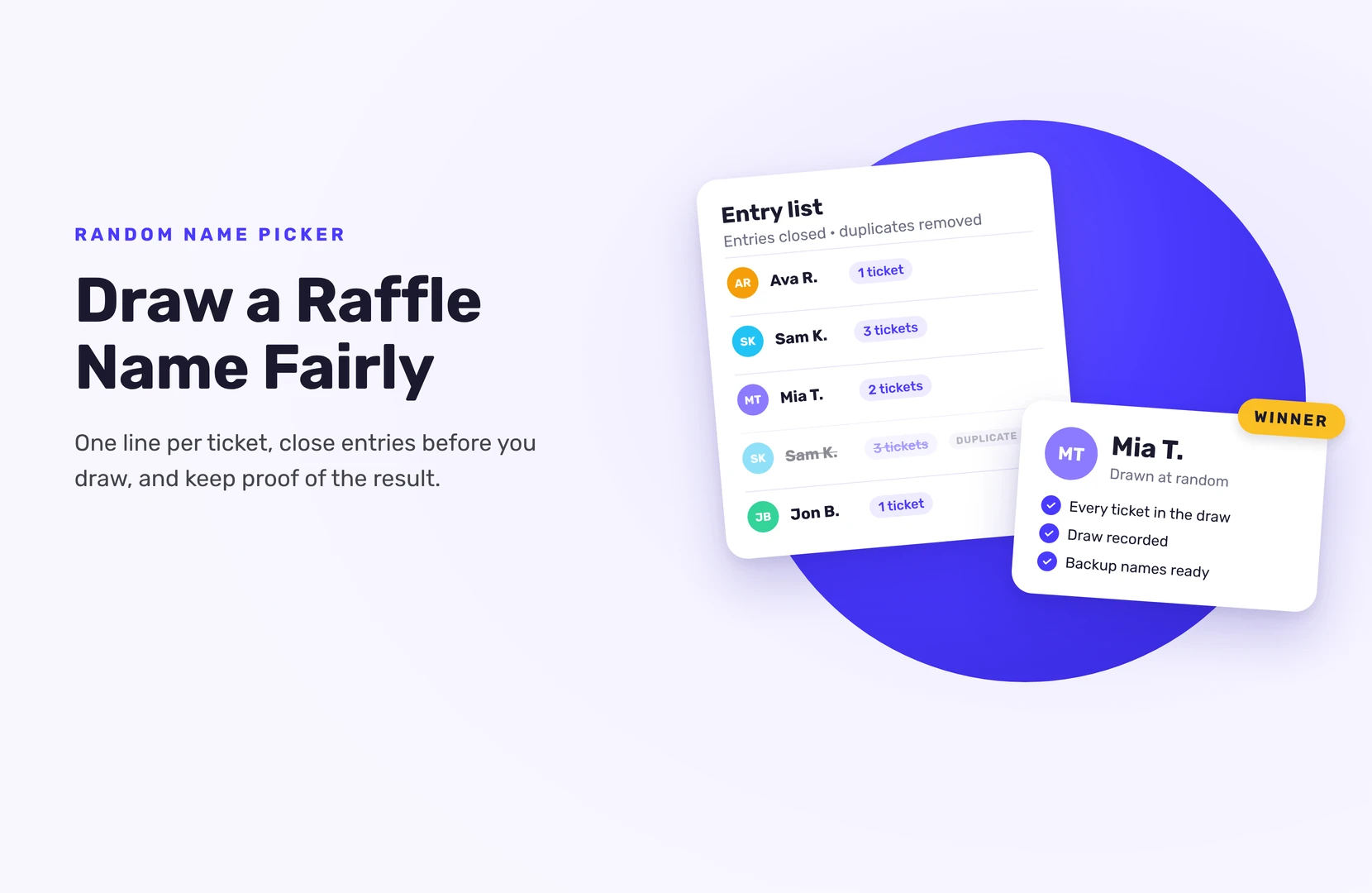
A random name picker for raffles takes your list of entrants, gives every line the same chance, and draws one at random. To keep it fair, put one line on the list for each ticket, close entries before you draw, and record the draw so anyone can see it wasn’t picked by hand.
That works for a list of 20 names at a club night or 20,000 entries from an online giveaway. What changes is how you build the list and how you prove the result.
What does a raffle name picker actually do?
It draws a random line from a list. Paste in names, press a button, and the picker shows a winner. Many free pickers also spin a wheel or shuffle the names on screen first, which looks good but doesn’t change the odds.
The picker is only as fair as the list you give it. If a name is missing, that person can’t win. If a name is on the list twice by mistake, that person has double the odds. So most of the work happens before you press the button.
Is a simple name picker enough for your raffle?
A free name picker is enough when:
- The list is short and you typed it yourself, for example names from paper tickets
- Every person has one ticket, or you’re happy to paste a name once per ticket
- You don’t need to contact the winner by email afterwards
- The draw happens in front of the people who entered
Use a giveaway tool instead when:
- People enter online and you’d otherwise copy names from comments, DMs or forms by hand
- People earn extra entries for extra actions, like following you or referring a friend
- You need the winner’s email to send the prize
- You want a record of who entered, when, and how many entries they had
How to use a random name picker fairly
- Close entries first. Drawing early leaves out people who still had time to enter.
- Clean the list. Remove test entries, staff (if your rules exclude them) and accidental duplicates.
- One line per ticket. If Sam has three tickets, Sam goes on the list three times. If everyone gets one ticket, each name appears once.
- Decide the number of winners in advance. Also decide how many backup names you’ll draw, and in what order you’ll use them.
- Record your screen, or draw live. Show the full list, then the draw.
- Use the first result. No “best of three” and no re-spinning because you don’t like the name. If the winner turns out to be ineligible, your rules should already say you draw again.
- Write down the result. Note the date, time and winner, and keep the recording.
A note on spreadsheets: a formula like RAND() or RANDBETWEEN() in Excel or Google Sheets recalculates every time the sheet changes. That’s fine, but it means the “winner” cell can change. Take a screenshot or recording at the moment you draw.
How to run a raffle draw with extra entries
Extra entries are where a plain name picker starts to struggle. Pasting someone’s name 15 times works, but it’s easy to get wrong with a long list.
A giveaway tool keeps count for you. In SweepWidget, the draw is weighted: someone with 10 entries has better odds than someone with 1, the same as holding more tickets. It’s still random, so more entries never guarantee a win.
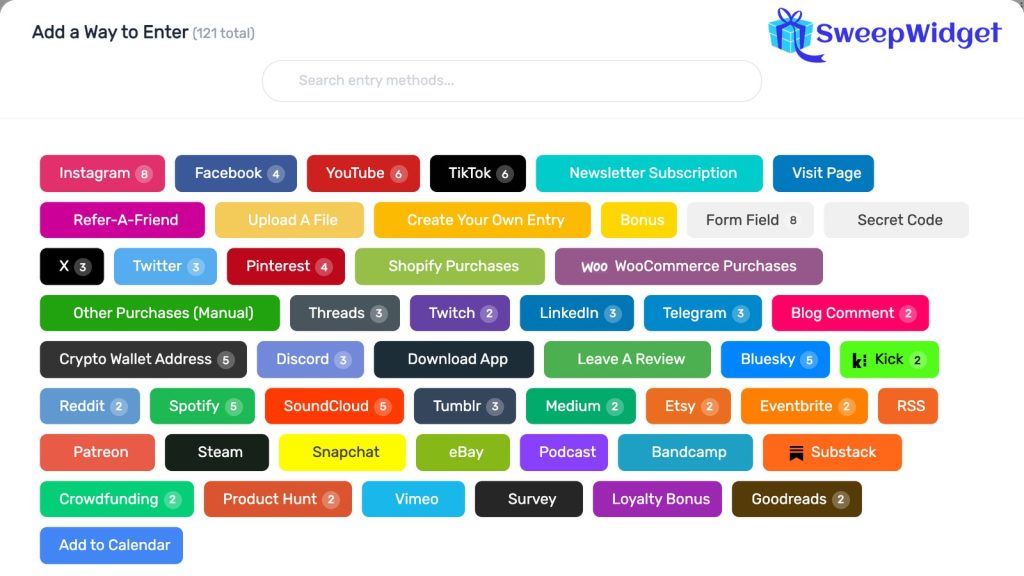
People earn those entries through the actions you add, from 120+ ways to enter, such as joining your newsletter, following an account or visiting a page.
You can also set a minimum or a maximum. A minimum only includes people with at least that many entries, for example people who completed every action. A maximum works differently from what you might expect: it leaves out anyone with more entries than the number you set, rather than capping their odds. Both take people out of the draw, so only use them if your rules say so. If you want everyone to have the same chance, give everyone one entry. For more on weighted draws, see how to pick a giveaway winner fairly.
How to pick a raffle winner in SweepWidget
If people entered through your SweepWidget giveaway, the list is already there:
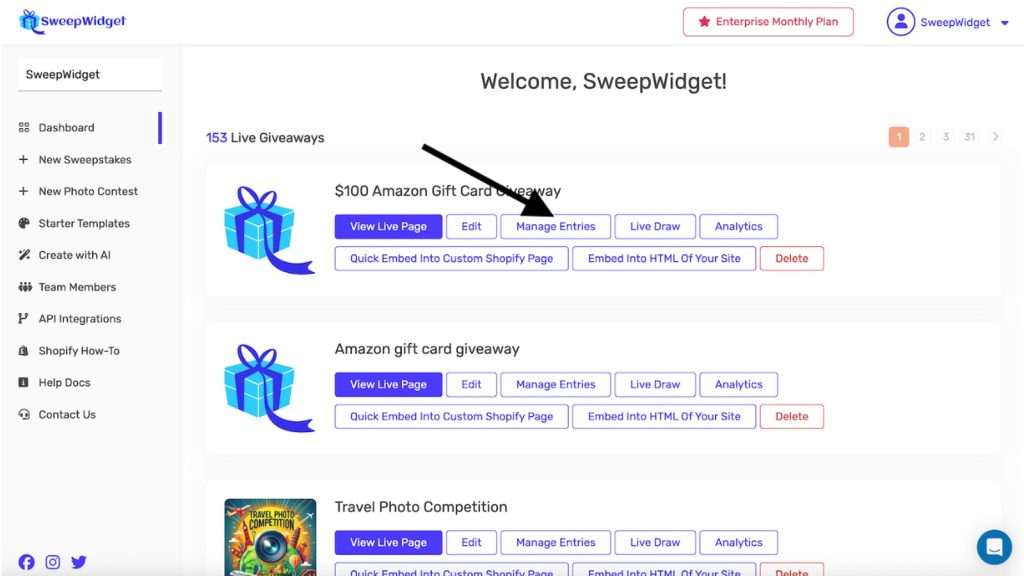
- Open your dashboard, find the raffle and click Manage Entries.
- Click Pick A Winner, then Randomize the Selection.
- Choose how many winners to draw (up to 250 at a time).
- Optional: set a minimum or maximum number of entries.
- Click Draw Winners, then View Winners.
People who already won are left out of later draws, so a second draw for a runner-up prize never picks the same person twice. The total number of winners you can pick depends on your plan: the free plan picks one winner, Pro up to 50, Business 250, Premium 1,000 and Enterprise unlimited.
Already have a list from somewhere else?
On Premium and up, you can upload entries from a CSV file: up to 10,000 rows per upload, each with a full name and email address. An optional Entry Amount column sets how many tickets each person holds, so someone with five paper tickets gets five entries in one row. Duplicate email addresses are skipped, which takes care of accidental doubles. It also means that if someone entered online and has paper tickets too, their CSV row won’t be added, so check for those people before you draw.
That lets you put paper tickets, a sign-up sheet from an event and online entries into one draw.
Drawing names on screen
SweepWidget’s Live Draw (every paid plan, from Pro) is made for raffles drawn in front of an audience, at an event or on a stream. It only shows the winner’s name and prize, never email addresses, so it’s safe to put on a big screen. You can reveal the name instantly, after a 3-2-1 countdown or on a spin wheel (the wheel shows a sample of up to 36 names, each sized by their entries), and in presentation mode the spacebar draws the next name.
The winner is chosen the moment you click draw. The countdown and the wheel are only the reveal.
What to do after you draw the name
- Check the winner against your rules: age, location and anything else you required.
- Contact them within 24 to 48 hours and give them a clear deadline to reply. SweepWidget doesn’t message winners for you, except for prizes set up with redemption codes. You’ll find each winner’s email on the Winners page.
- Draw a replacement if they miss the deadline or don’t qualify. Disqualify a winner who doesn’t meet your rules, so they can’t be drawn again. If you picked someone by mistake, unpick them instead, which keeps them in the draw.
- Announce the result once the winner has replied.
This guide covers free-to-enter raffles. In the US, a raffle where people pay for a ticket is usually treated as a lottery, and most states only allow licensed nonprofits to run one. If you want to sell tickets, check your state’s rules and speak to a lawyer first.
To run the whole raffle online, from the entry page to the draw, see how to do a raffle online.
Want to draw from your full entry list instead of a pasted one? See how to randomly pick a winner in SweepWidget.
FAQ
Good pickers use the computer’s random number generator, which is fine for raffles and giveaways. The bigger risk is the list: missing names, duplicates and drawing before entries close.
Put their name on the list once per ticket. In a giveaway tool, give them more entries instead; SweepWidget’s draw is weighted by entries.
Not in SweepWidget: people who already won are left out of later draws. With a simple name picker, remove the winner’s name (every copy of it) before the next draw.
Either is fair if the result comes from a random draw of the full list. A wheel adds suspense for a live audience. It doesn’t change anyone’s odds.
One or two is common. Decide the number and the order before the draw, and use them only if the first winner doesn’t reply or doesn’t qualify.