Creative Christmas Contest Ideas to Run This Season
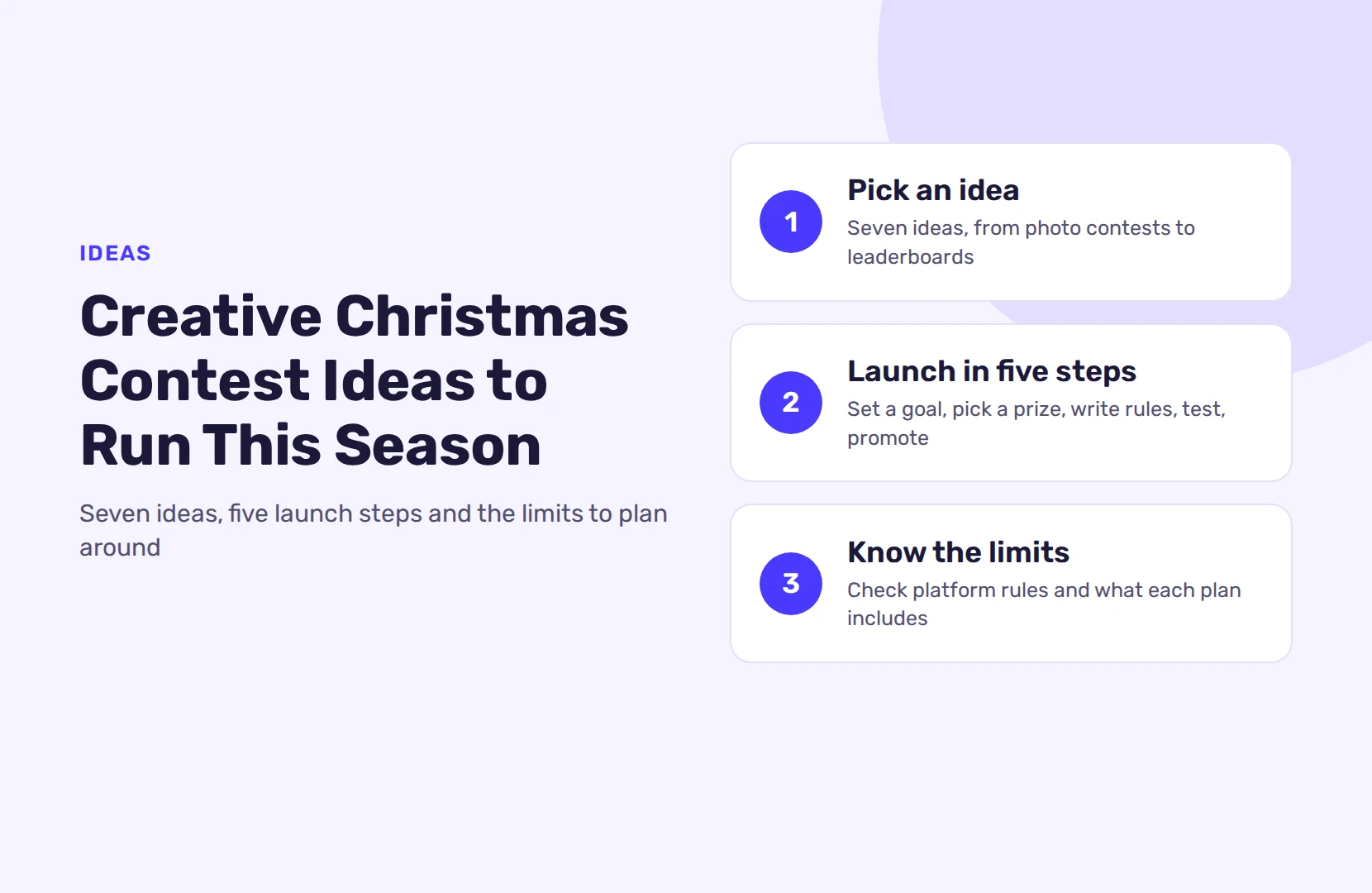
The best Christmas contest ideas ask people to do something fun, like sharing a photo, a tradition or a pick, and then reward them with a prize that fits the season. SweepWidget lets you run any of them, whether it’s a random-draw giveaway, a public-vote photo contest or a daily countdown. Below are seven ideas, the steps to launch one, and the limits to plan around. For more seasonal formats, see our holiday giveaway ideas and social media contest ideas.
Which Christmas contest ideas work best?
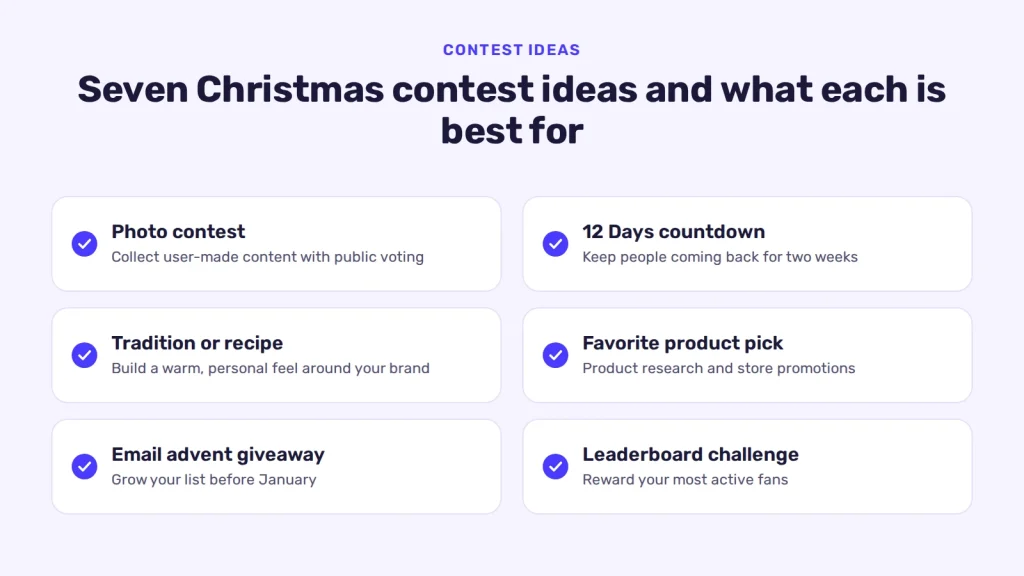
There’s no single winner. The right pick depends on your goal: more email subscribers, more user photos, or more attention on a product. Here’s how the ideas match up.
1. Ugly sweater or decor photo contest
Ask people to upload a photo of their wildest sweater or best-lit house. Add a public voting gallery so the community picks the winner. SweepWidget supports contests with file uploads and public voting, which suits photo contests, and photo and video contests need Pro. See also our guide to the photo contest app. Voting also gives entrants a reason to share the gallery with friends.
Best for: collecting user-made content.
2. 12 Days of Christmas countdown
Give away one small prize a day, then finish with a bigger Christmas Eve prize. Small prizes can be ornaments, branded items or discount codes. Set up one giveaway per day, or a single giveaway with a daily action. Free includes unlimited campaigns and unlimited entries, so a daily series doesn’t hit a campaign cap.
Best for: keeping people coming back for two weeks.
3. Share your Christmas tradition or recipe
Ask entrants to tell you their favorite tradition or recipe, using a text or comment-style entry. You get stories you can feature in your emails and posts. Ask for permission before you reuse anyone’s words or photos.
Best for: building a warm, personal feel around your brand.
4. Favorite product or gift-list pick
Ask people to choose the product they’d most like to unwrap and say why. The winner gets that product. You learn what your audience wants before the holiday rush. A simple comment on a post works, such as “what’s your favorite Christmas movie?”.
Best for: product research and Shopify or store promotions.
5. Email-list advent giveaway
Make subscribing the main entry. SweepWidget’s Subscribe to Newsletter entry method needs Pro. It syncs new subscribers to your email platform, including Mailchimp, Klaviyo, ConvertKit and HubSpot, among 30+ email integrations. Every entry also captures an email address; on Free, entrants’ emails are still collected in your SweepWidget dashboard, and you can see the first 10.
Best for: growing your list before January.
6. Leaderboard challenge
Instead of a random draw, the person with the most points wins. SweepWidget supports a leaderboard mode alongside random drawing. Leaderboards need the Business plan or above.
Best for: rewarding your most active fans.
7. Charity or “gift to someone else” contest
Let the winner nominate someone to receive the prize, or donate to a cause for the winner. It’s a good fit when a big discount or gadget feels off-tone.
Best for: brands that want a giving angle.
How do you run a Christmas contest? Five steps
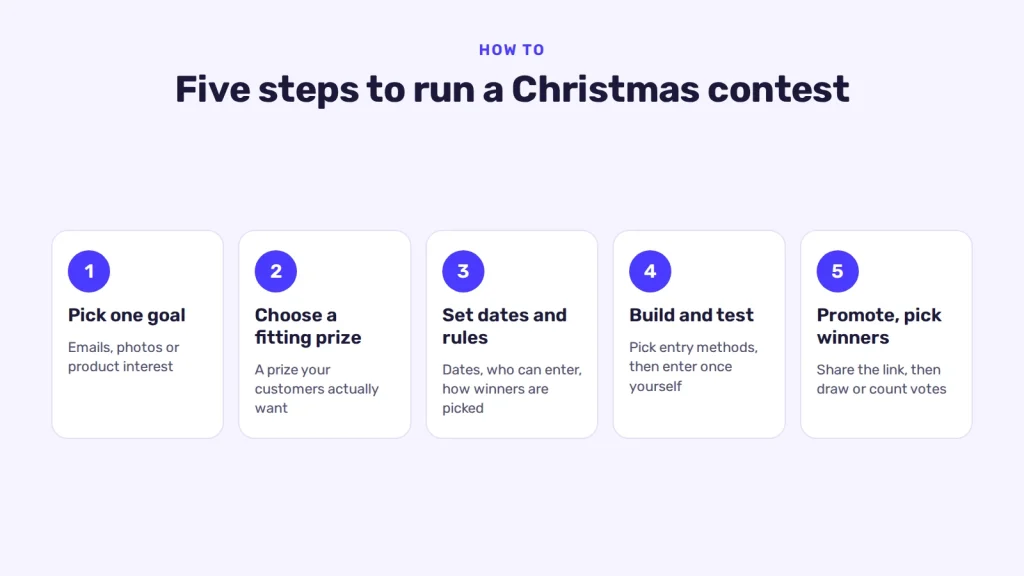
- Pick one goal. Emails, photos or product interest. One goal keeps the entry list short.
- Choose a prize that fits it. A prize your customers want attracts the right entrants. A generic gift card tends to attract people who only want free stuff.
- Set the dates and write official rules. Include the start and end dates, who can enter, how the winner is picked and how they’re notified. Post the rules where entrants can find them.
- Build and test the entry. Pick your entry methods, then enter once yourself to check it works.
- Promote, then pick winners. Share the link in your emails, posts and site. Use random drawing for giveaways, or a leaderboard or vote count for contests.
What should you check on each platform?
Platforms have their own promotion rules, so read the current ones before you launch.
- Instagram, Facebook and TikTok: outside tools can’t check follows or likes on these platforms. Those entries are taken on trust, so check the winner by hand before you announce.
- Facebook and Meta: Meta says a promotion on a Page, group or event must not require or incentivize people to share, repost, tag others or otherwise publicize it. Skip those entry types there. Entrants must also release Meta and hold it harmless, and acknowledge that Meta doesn’t sponsor or run the promotion. See our Facebook giveaway guide.
- Paid partnerships: if an influencer or partner co-hosts, label it as a paid partnership. The FTC’s Disclosures 101 for Social Media Influencers explains what to disclose.
- Purchases and big prizes: the FTC says a sweepstakes that requires a purchase to enter is illegal in the US; see No Purchase Necessary and sweepstakes vs contest vs lottery. If the prizes total more than $5,000 and the promotion is tied to consumer products or services, you may have to register ahead of time with New York and Florida, and may need a bond or deposit.
This is general information, not legal advice. Sweepstakes and contest rules vary by country and state, so check the official sources, and ask a lawyer if the prize is large.
How do you keep a holiday contest fair?
Holiday contests attract extra attention, and some of it is people trying to game them. A few simple habits help:
- Use rules entrants can read. Publish official rules and link them on the entry page.
- Limit duplicate entries. SweepWidget offers email verification codes, geo-blocking and whitelists on the Premium plan and above.
- Verify winners. Check that the winner actually did the required actions, especially for social entries that can’t be verified automatically.
- Warn about fake winner scams. Tell entrants that you’ll only announce winners from your official accounts and will never ask for payment or card details to claim a prize. Scammers often message “winners” first.
When is the Free plan not enough?
Free is a good place to test an idea. It includes unlimited campaigns and unlimited entries, and you can use 20 of SweepWidget’s 120+ entry methods. You can view or download the first 10 entrants’ emails; the rest show as “Upgrade to view”. That’s tight for a list-building campaign. Free also allows 1 winner per contest, so a 12-day series works as separate giveaways but a multi-winner prize pool doesn’t. The newsletter entry and email integrations, photo and video contests, and Live Draw need Pro, and refer-a-friend, secret code, file upload and purchase entries are locked on Free.
Pro ($29/mo or $290/yr) gives you all entrants’ emails, email integrations, photo and video contests and up to 50 winners per contest. Business ($59/mo) adds leaderboards, coupons and Zapier. Removing SweepWidget branding and a custom giveaway page URL are Premium. See SweepWidget pricing for all plans.
For more inspiration on comment-based prompts, see our guide to how to run a Facebook giveaway.
Ready to run your first giveaway?
Start free on SweepWidget and move to Pro when you want to view and download all your entrants’ emails and use email integrations and photo contests.
No credit card required
FAQ
Pick something your audience actually wants, such as your own products, a bundle or an experience. Generic gift cards tend to attract entrants who don’t care about your brand.
Start early enough to promote it before the holiday rush, and end it with time to announce winners and ship prizes. Check your shipping cutoff dates first.
Yes. A giveaway picks winners at random. A contest judges entries on skill or merit, such as best photo or most votes. SweepWidget supports both.
Yes, publish them for any giveaway. This is general information, not legal advice. Rules vary by location, so check official sources and ask a lawyer if the prize is large.
Yes. Follow Instagram’s promotion rules, and remember that outside tools can’t verify follows or likes there, so check your winner by hand. Instagram follow, like and comment entries need Pro; Free has visit-type entries such as Visit Instagram profile.